
Aircraft.cfg And Sim.cfg Additional Information
This page lists certain information that will be off help to you when creating either an aircraft.cfg file or a sim.cfg file.
Generated Character Profiles
When you setup your aircraft.cfg file, you can use the generated_copilot parameter to set whether their should be another person with the pilot in the main cabin, either as a copilot, or a passenger, or as an instructor, etc… This parameter requires a “profile” string which tells the simulation which kind of character to generate for the flight. Below you can find a list of all the available profiles along with an example of what they may look like in the simulation (the images may not be the exact same as most characters are generated procedurally).
| Profile Name | Airrescue | Boatrescue | Businessman | Copilot | Cplexaminer |
|---|---|---|---|---|---|
| Example | 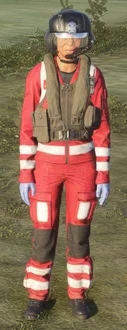 | 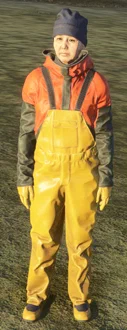 | 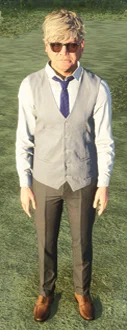 | 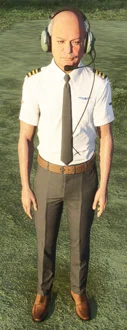 | 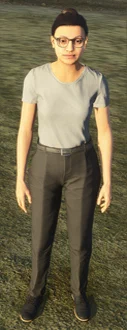 |
| Profile Name | Firerescue | GroundRescue | Helicopterinstructor | HLOworker | Medic |
|---|---|---|---|---|---|
| Example | 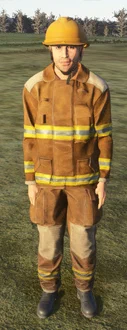 | 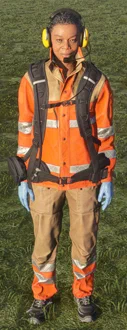 | 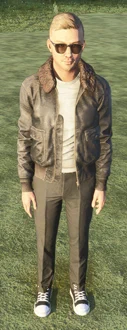 | 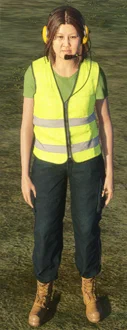 | 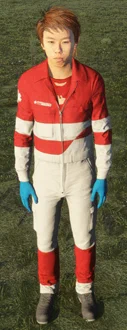 |
| Profile Name | Militarypilot | Passenger | Pilot | Racepilot | Rescuepilot |
|---|---|---|---|---|---|
| Example | 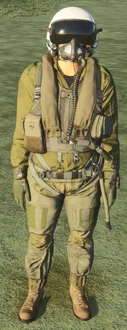 |  | 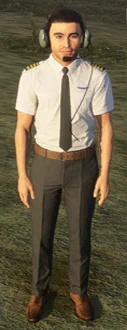 | 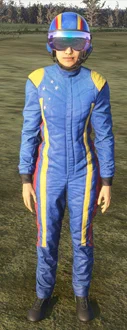 | 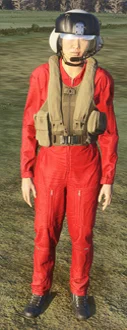 |
| Profile Name | Searescue | Skydiver | Snowrescue | Swimsuit | Tarmacworker |
|---|---|---|---|---|---|
| Example | 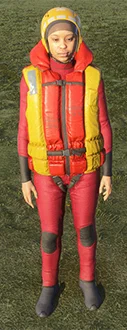 | 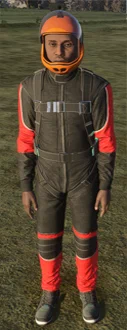 | 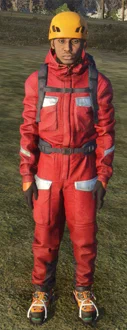 | 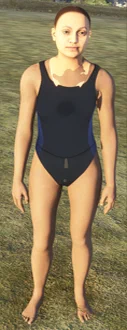 | 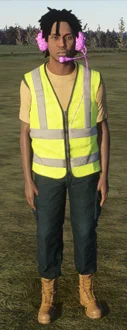 |
List Of Included Pilot/Copilot/Instructor SimObjects
The following is a list of titles that can be used in the pilot, copilot and instructor parameters for the [PILOT] section of the aircraft.cfg file or as the title and model parameter in the [Pilot.N] section of the sim.cfg file.
If you use these titles, you will have no need for further files to define the human model or SimObject to be used as the pilot/copilot/instructor, as these all relate to default characters that are already available.
Also note that the list shows the corresponding relative path for the appropriate image to show in the image parameter of the [Pilot.N] section:
- “Pilot_Male_Casual” -
images\Pilot_Male_Casual.png - “Pilot_Female_Casual”-
images\Pilot_Female_Casual.png - “Pilot_Male_Uniform”-
images\Pilot_Male_Uniform.png - “Pilot_Female_Uniform”-
images\Pilot_Female_Uniform.png - “Pilot_Male_African”-
images\Pilot_Male_African.png - “Pilot_Female_African”-
images\Pilot_Female_African.png - “Pilot_Male_Uniform_African”-
images\Pilot_Male_Uniform_African.png - “Pilot_Female_Uniform_African”-
images\Pilot_Female_Uniform_African.png - “Pilot_Male_Arab”-
images\Pilot_Male_Arab.png - “Pilot_Female_Arab”-
images\Pilot_Female_Arab.png - “Pilot_Male_Uniform_Arab”-
images\Pilot_Male_Uniform_Arab.png - “Pilot_Female_Uniform_Arab”-
images\Pilot_Female_Uniform_Arab.png - “Pilot_Male_Asian”-
images\Pilot_Male_Asian.png - “Pilot_Female_Asian”-
images\Pilot_Female_Asian.png - “Pilot_Male_Uniform_Asian”-
images\Pilot_Male_Uniform_Asian.png - “Pilot_Female_Uniform_Asian”-
images\Pilot_Female_Uniform_Asian.png - “Pilot_Male_Hispanic”-
images\Pilot_Male_Hispanic.png - “Pilot_Female_Hispanic”-
images\Pilot_Female_Hispanic.png - “Pilot_Male_Uniform_Hispanic”-
images\Pilot_Male_Uniform_Hispanic.png - “Pilot_Female_Uniform_Hispanic”-
images\Pilot_Female_Uniform_Hispanic.png - “Pilot_Male_Indian”-
images\Pilot_Male_Indian.png - “Pilot_Female_Indian”-
images\Pilot_Female_Indian.png - “Pilot_Male_Uniform_Indian”-
images\Pilot_Male_Uniform_Indian.png - “Pilot_Female_Uniform_India”-
images\Pilot_Female_Uniform_India.png