
Add
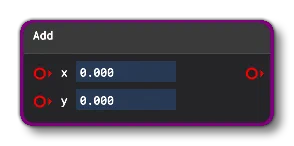
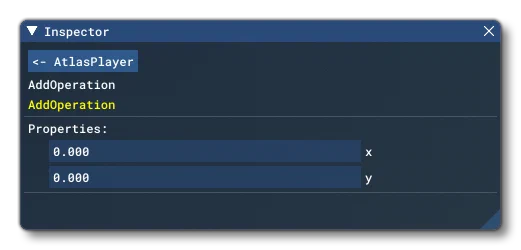
This Node can be used to add two values together. You can specify the values to add, or supply one or two Node Inputs and the node will output the sum of the two values. When specifying values, you can input them directly to the node input boxes, or you can input them through the Inspector window:
Node Inputs
This node accepts the following the inputs:
X
The first input to add. This can be either a scalar input or a vector input.
Y
The second input to add. This can be either a scalar input or a vector input.
Note that when using this node, the add operation is commutative and only the following types should be added:
$$ \begin{aligned} \mathrm{Float} + \mathrm{Float} &\rightarrow \mathrm{Float} \\ \mathrm{Float} + \mathrm{Vec2} &\rightarrow \mathrm{Vec2} \\ \mathrm{Float} + \mathrm{Vec3} &\rightarrow \mathrm{Vec3} \\ \mathrm{Float} + \mathrm{Vec4} &\rightarrow \mathrm{Vec4} \\ \mathrm{Vec2} + \mathrm{Vec2} &\rightarrow \mathrm{Vec2} \\ \mathrm{Vec3} + \mathrm{Vec3} &\rightarrow \mathrm{Vec3} \\ \mathrm{Vec4} + \mathrm{Vec4} &\rightarrow \mathrm{Vec4} \end{aligned} $$Trying to add together anything other than these types in the permutations shown will cause an error.
Node Output
The node will output either a scalar (float) value or a vector, depending on the inputs that were used.