
SimVar
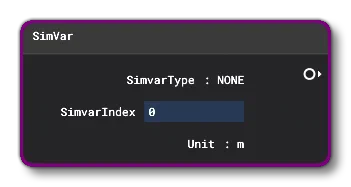
This Node can be used to retrieve a SimVar (Simulation Variables) value. The output value will depend on the options you set up in the Inspector window:
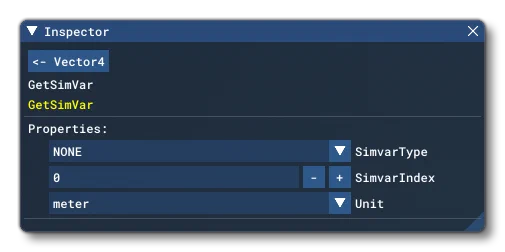
The available options are:
SimVar
Selecting this will open a drop-down list of all the different SimVars available to you.
Only the following SimVars are currently implemented correctly:
- SIMVAR_STRUCT_LATLONALT (STRUCT LATLONALT)
- SIMVAR_STRUCT_LATLONALTPBH (STRUCT LATLONALTPBH)
- SIMVAR_STRUCT_WORLDVELOCITY (STRUCT WORLDVELOCITY)
- SIMVAR_STRUCT_WORLD_ROTATION_VELOCITY (STRUCT WORLD ROTATION VELOCITY)
- SIMVAR_STRUCT_BODY_VELOCITY (STRUCT BODY VELOCITY)
- SIMVAR_STRUCT_BODY_ROTATION_VELOCITY (STRUCT BODY ROTATION VELOCITY)
- SIMVAR_STRUCT_SURFACE_RELATIVE_VELOCITY (STRUCT SURFACE RELATIVE VELOCITY)
Other sim vars can still be used, and the majority will return a floating point (scalar) value. If the value being returned should be a boolean value, then 0.0 is considered “false” and anything greater than 0.0 would be “true”.
SimVarIndex
Here you can select the SimVar index value. Not all SimVars require this value, but it is needed for things like engines, where you need an index to indicate which engine you want to retrieve a value from.
Unit
This is for setting the unit type of the SimVar being retrieved. It can be any one of those listed here: Simulation Variable Units
Node Output
The output of the node will very much depend on the SimVar that is being used to generate it, however currently the supported SimVars will only return a 3 value vector.