
Editors
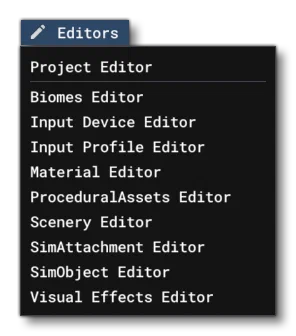
The Editors menu is the menu from which you can open the various available Developer Mode editors. These can be used to create and edit the add-on content that you are making for the simulation.
Not all these options will be available at all times, as it depends on whether you have a project open and what kind of package you are creating.
Project Editor
Opens The Project Editor where you can create a new project or edit an existing one.
Biomes Editor
Opens The Biomes Editor where you can create and modify different biome features.
Input Device Editor
Opens The Input Device Editor where you can add or edit input device packages.
Input Profile Editor
Opens The Input Profile Editor where you can edit input profiles for use with specific devices and / or aircraft.
Material Editor
Opens The Material Editor where you can view, create, and modify the different simulation materials.
Procedural Assets Editor
Opens The Procedural Assets Editor where you can add or edit any procedural assets defined for your add-on.
Scenery Editor
Opens The Scenery Editor where you can add scenery, terraform the terrain, or create an airport.
SimObject Editor
Opens The SimObject Editor for modifying aircraft parameters.
Visual Effects Editor
Opens The Visual Effects Editor for creating and modifying dynamic visual effects, like contrails and smoke.