
Help
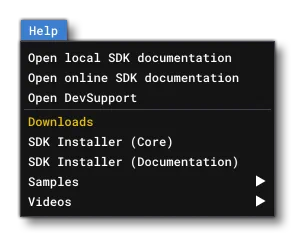
The help menu contains information related to how to use the SDK and other helpful information. It has the following options:
Open Local SDK Documentation
This option opens the document you are currently reading, locally.
Open Online SDK Documentation
This option opens the online SDK documentation(opens in a new tab) in your default browser.
Open DevSupport
This option will take you to the DevSupport online support forum(opens in a new tab) dedicated to helping add-on creators.
SDK Installer
This option will open a browser window and attempt to download the current version of the SDK installer as an
*.msifile.Samples
Here you can download installers for additional samples that show how the SDK can be used:
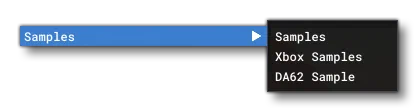
The main download - “Samples” - contains a number of small samples that can be opened in Microsoft Flight Simulator and that illustrate very specific features of the SDK. The “Xbox Samples” are two 3Ds Max files that illustrate proper scenery asset creation, and the “DA62” sample is a fully finished and functional aircraft for the simulation. For full information on these, please see the Samples, Tutorials and Primers section.
Videos
From this option you can download special video tutorials that have been created by the Microsoft Flight Simulator team to help you use the Audio SDK. These videos are also embedded in this documentation on the following pages: