Yoke, Wheel, And Collective Animation
This page goes covers the details related to animating the aircraft yoke(s).
the yoke (whether a handle yoke or a steering wheel yoke) is the biggest object in the cockpit, so it needs to be animated on both LOD0 and LOD1, since it will be visible from various camera angles from the exterior of the aircraft.
When setting up these animations, please keep in mind that some users may be using VR, therefor you must take that into account, ie: the extremes of the animations will have to be matched by the extremes of the movements the user will have to do. This means you should tweak the animations accordingly so that the user does not have to make exaggerated movements. You can find some extra information related to the yoke/wheel/collective animations and the Virtual Reality setup from the following page:
Basic Setup (Handle Yoke)
When animating the yoke, we suggest that you use the following naming format, which is the same as that used by the original aircraft models in Microsoft Flight Simulator 2024:
Replace N with either 1 or 2 depending on whether it’s for the pilot (1) or co-pilot(2).
Nodes:
HANDLING_Yoke_NHelper:
HANDLING_YOKE_N_Lever_StickLR
HANDLING_YOKE_N_Lever_StickForeAft
Buttons - If you have switch, button or knob on the yoke:
HANDLING_Yoke_N_[BUTTON/SWITCH]_UpDown
Next you’d set up your yokes/sticks to have the following two animations:
- One horizontal animation that moves the stick left to right, or that rotates the yoke left to right to actuate the ailerons (roll the aircraft).
- One vertical animation that moves the stick/yoke forward to aft (front to back) and actuates the elevator (pitch).
Both these animations have to be animated over 5 frames:
| Frame | Left/Right Position | Forward/Backward Position |
|---|---|---|
| 0 | Default (Center) Position | Default (Center) Position |
| 1 | Left Position | Forward Position |
| 2 | Default (Center) Position | Default (Center) Position |
| 3 | Right Position | Back Position |
| 4 | Default (Center) Position | Default (Center) Position |
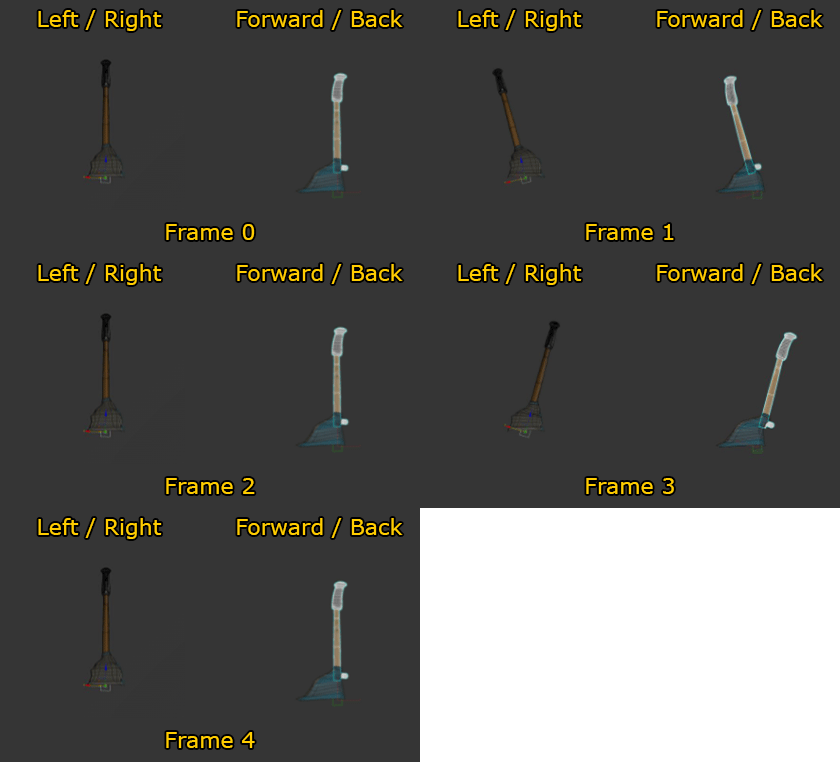
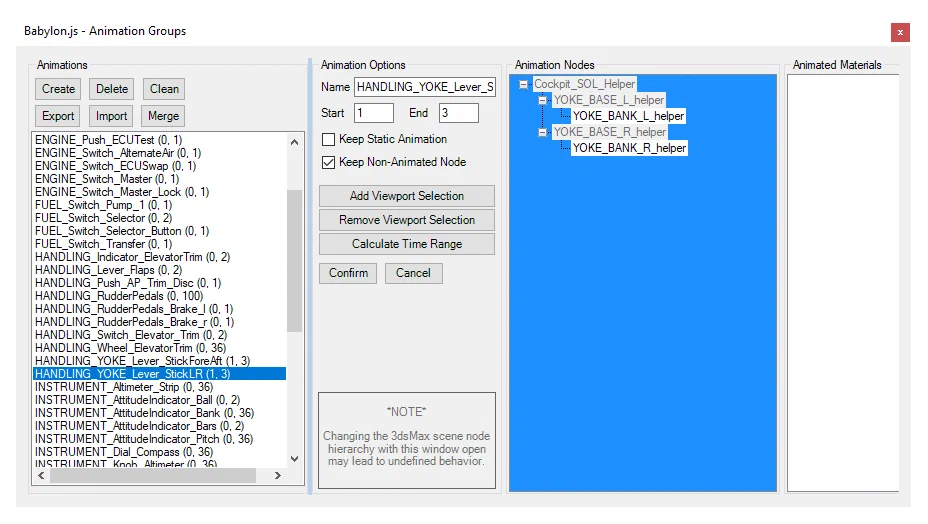
Note that when you export the animation, you will only be exporting the frames 1 - 3, and these should be added into the relevant animation groups, for example:
Steering Wheel Yoke
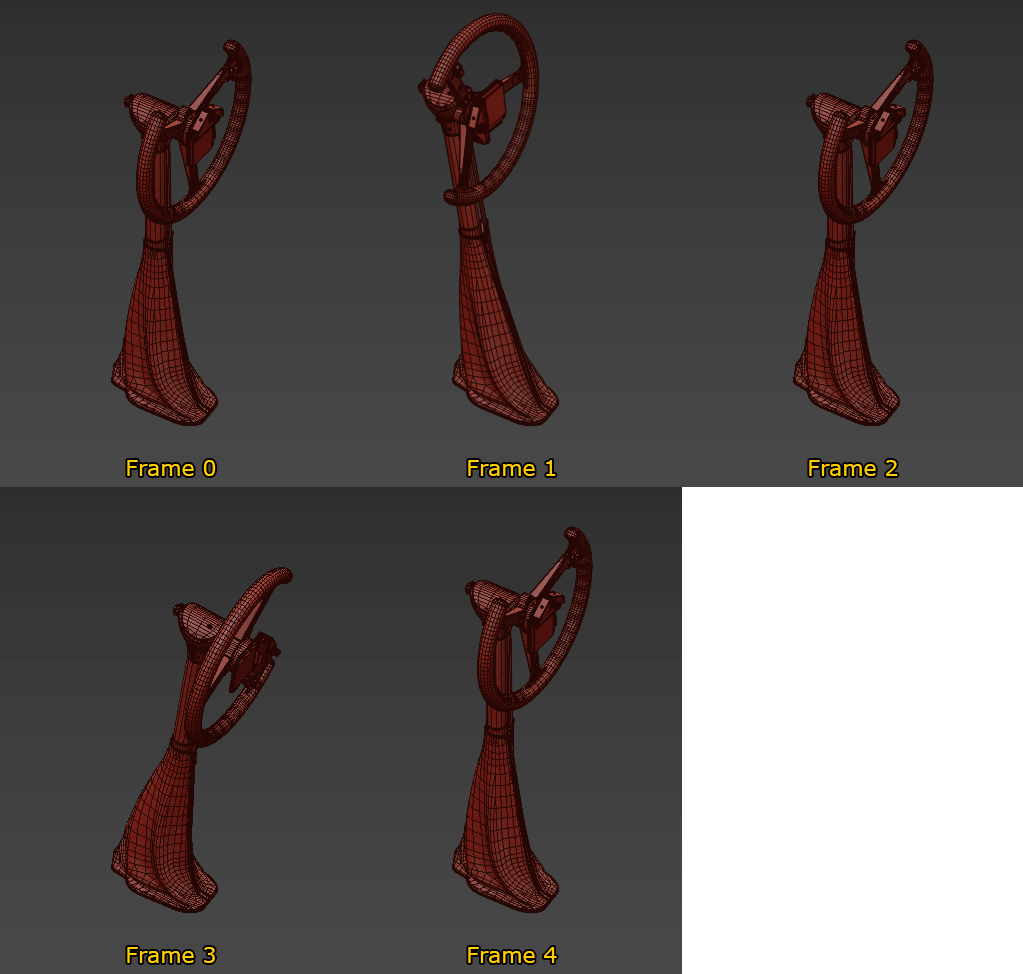
When your yoke has a steering wheel on it, you need to do a little extra work. To start with you’ll need to set up the basic yoke animation as outlined in the section above, however you will also need to animate the wheel itself. The table below shows the frames for the wheel rotation, based on the vertical movement of the yoke handle:
| Frame | Wheel Rotation | Forward/Backward Position |
|---|---|---|
| 0 | Default (Center) Position | Default (Center) Position |
| 1 | -90° | Forward Position |
| 2 | Default (Center) Position | Default (Center) Position |
| 3 | +90° | Back Position |
| 4 | Default (Center) Position | Default (Center) Position |
Collective
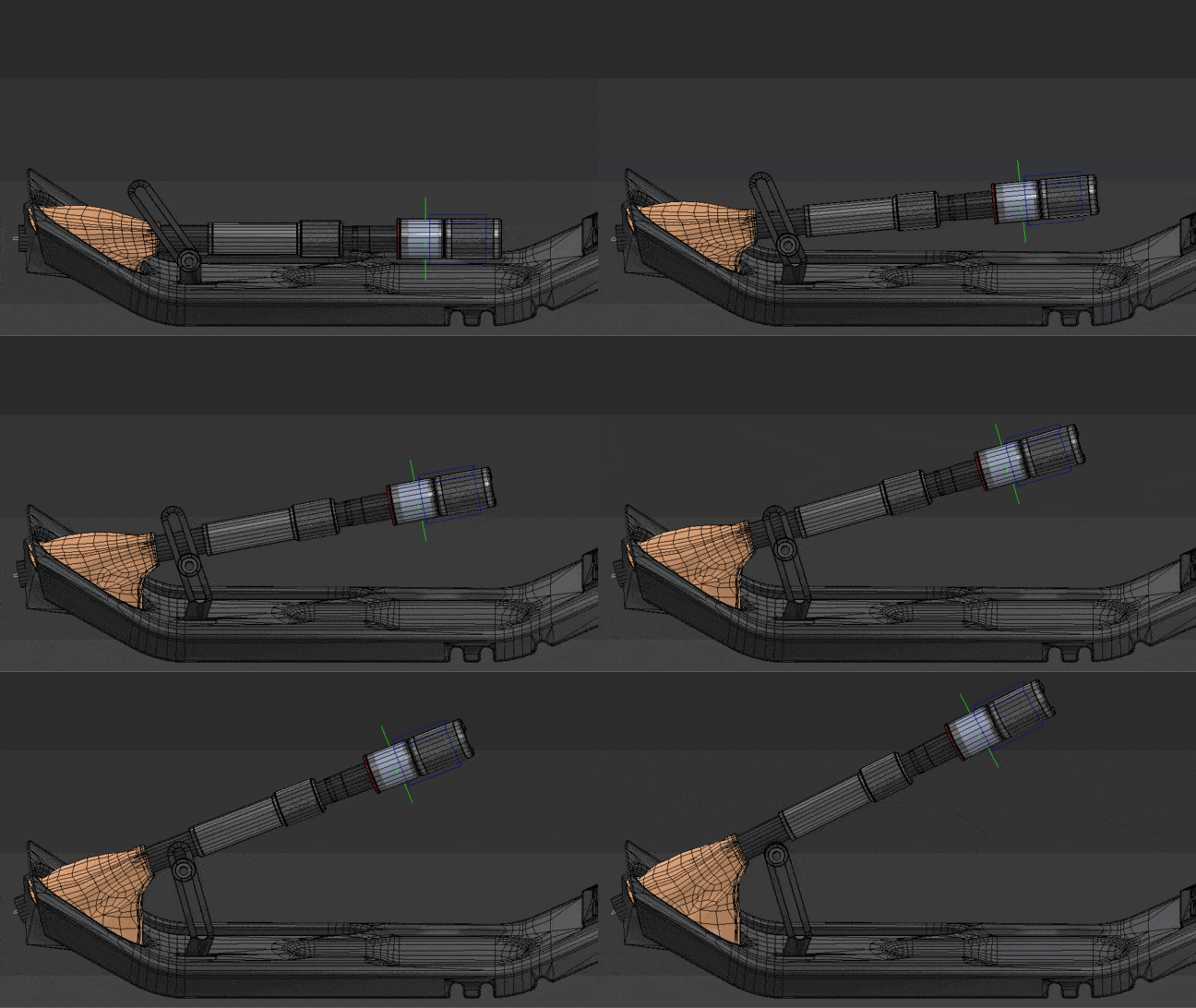
The helicopter collective animation is simply a linear animation over a small number of frames, where frame 0 should be fully lowered, and the last frame fully lifted. In the example image below this animation is done over 6 frames, and movement between frames will be interpolated in the simulation: