TERRAIN
The Terrain option from the Debug menu will open up the following sub-menu:
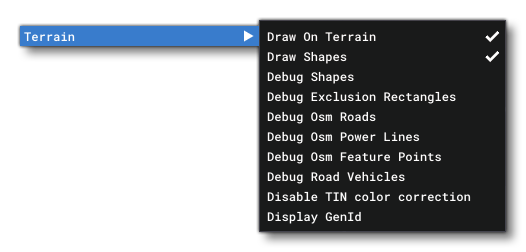
This menu has the following debug options for terrain:
-
Debug Shapes
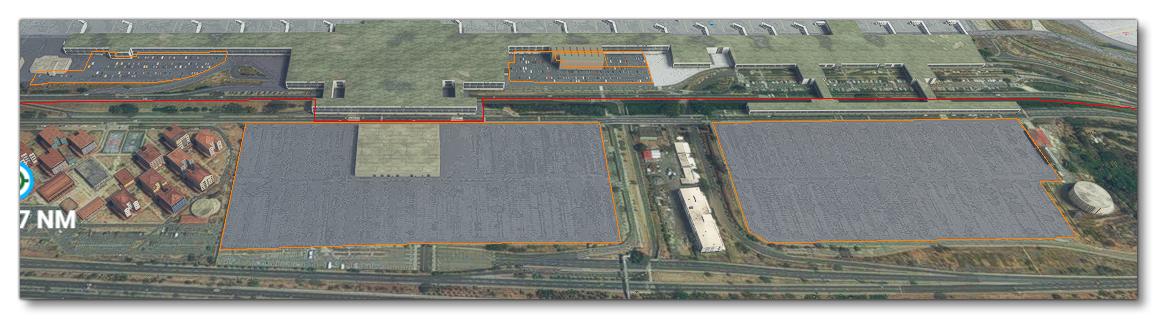
Enabling this option will outline the different polygon shapes used to generate terrain.
 This will open an additional window for toggling further information:
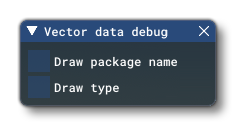 Draw Package Name will draw the name of the add-on package that the polygon (vector) data comes from, while Draw Type will draw information about the type of data the polygon is associated with (eg
 NoTIN - Buildings, orNoTIN - Airport, etc...)
-
Debug Exclusion Rectangles
This option permits you to debug any exclusion rectangles that are used in the add-on. It will open the following window that permits you to filter the the visuals to show more or less information:
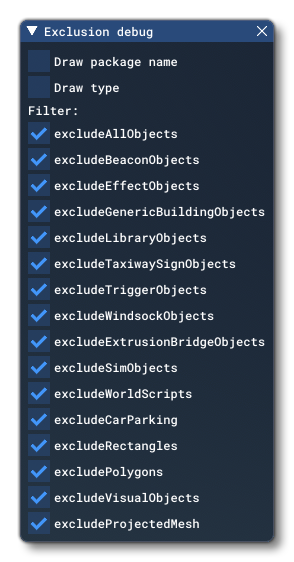
Checking Draw Package Name will add an overlay text to the rectangles with the name of the package they belong to, while checking Draw Type will draw the type of things the rectangle is excludding. You can also filter the rectangles using the Filter By Type list. FInally, at the bottom, you have the Count section, which gives you a numeric breakdown of the packages and how many rectangles are included within them.
-
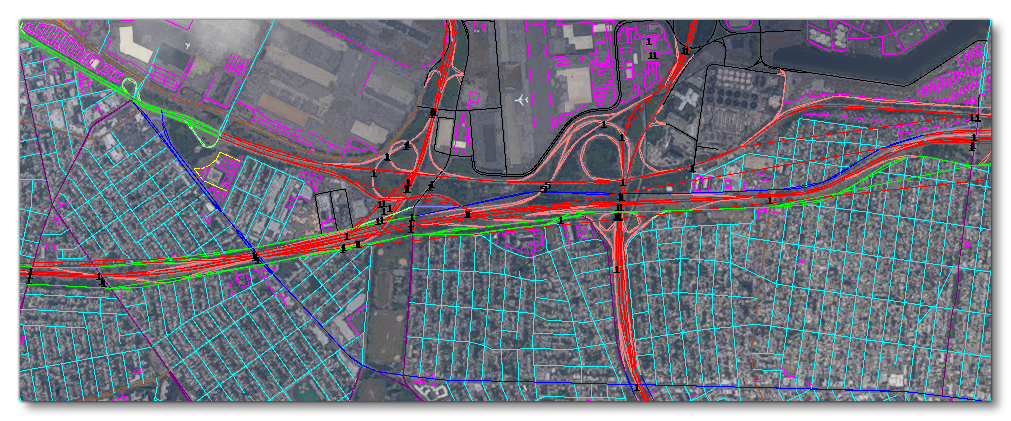
Debug OSM Roads
Enabling this option will show all the debug information for the OSM road system in the simulation.
-
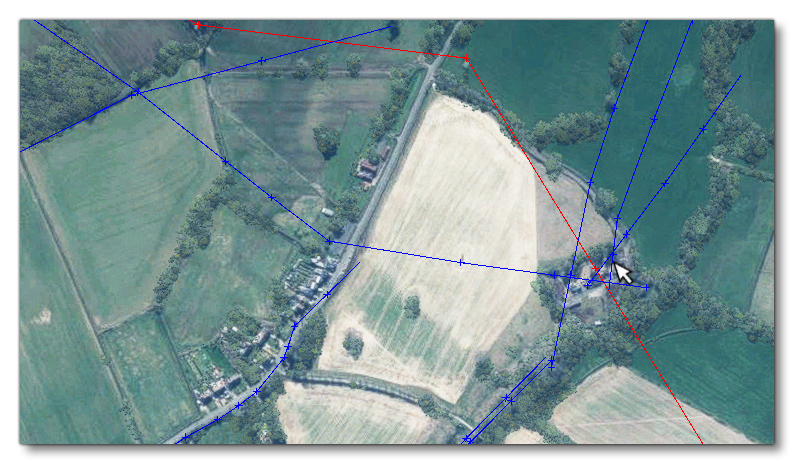
Debug OSM Powerlines
Enabling this option will show all the debug information for the OSM powerline system in the simulation. Red lines are major powerlines with tall masts and the blue lines are minor powerlines with smaller masts.
-
Debug OSM Feature Points
When this option is enabled, various OSM feature points will be marked in the simulation using coloured crosses.
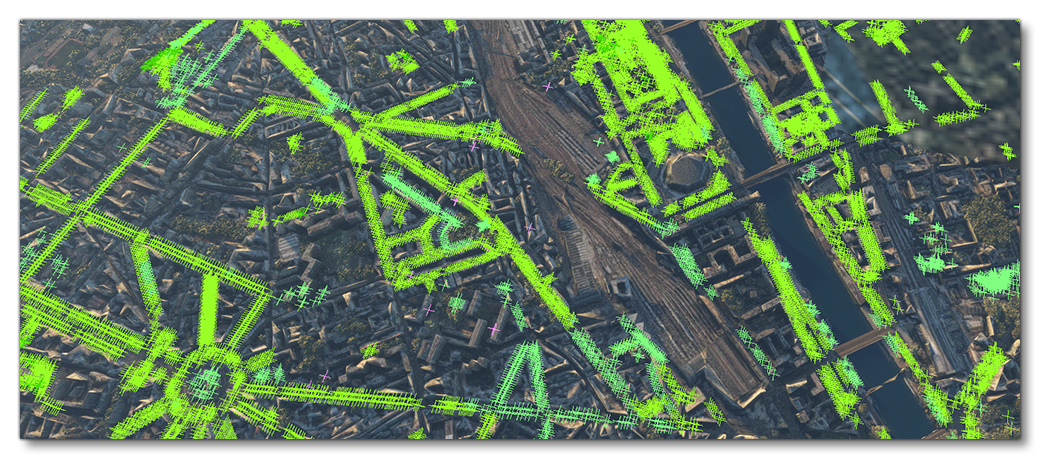 NOTE: This option can cause severe lag in areas where there are a lot of feature points.
Each colour represents the following features:Colour Colour Name Description Lime Green Broadleaf trees and shrubs. Green Needle leaved trees and shrubs. Light Green Palm trees. Yellow-Green Leafless trees and shrubs. Pale Green Mixed leaf trees and shrubs. White Horizontal turbine. Gray Vertical turbine. Red Windmill with vanes. Dark Red Windmill without vanes. Orange Oil/petroleum well. Light Blue Water well. Dark Blue Water tower. Magenta Generic/unknown mast of some kind. Pink COMs mast. Deep Pink Communication tower.
-
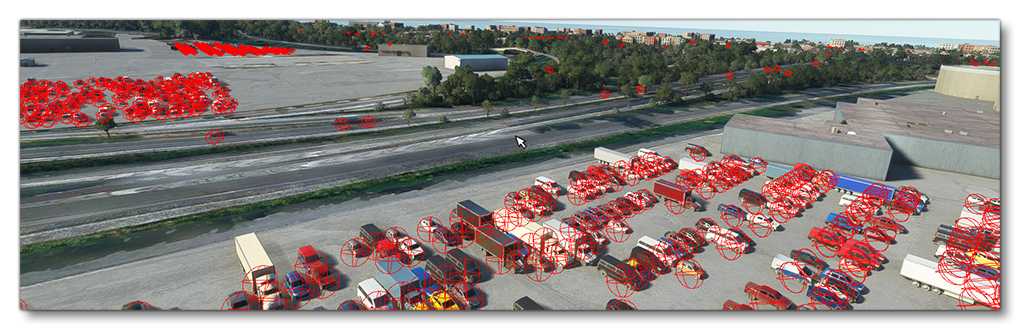
Debug Road Vehicles
When this option is enabled, all road vehicles will be shown using a red bounding sphere:
-
Debug Biomes
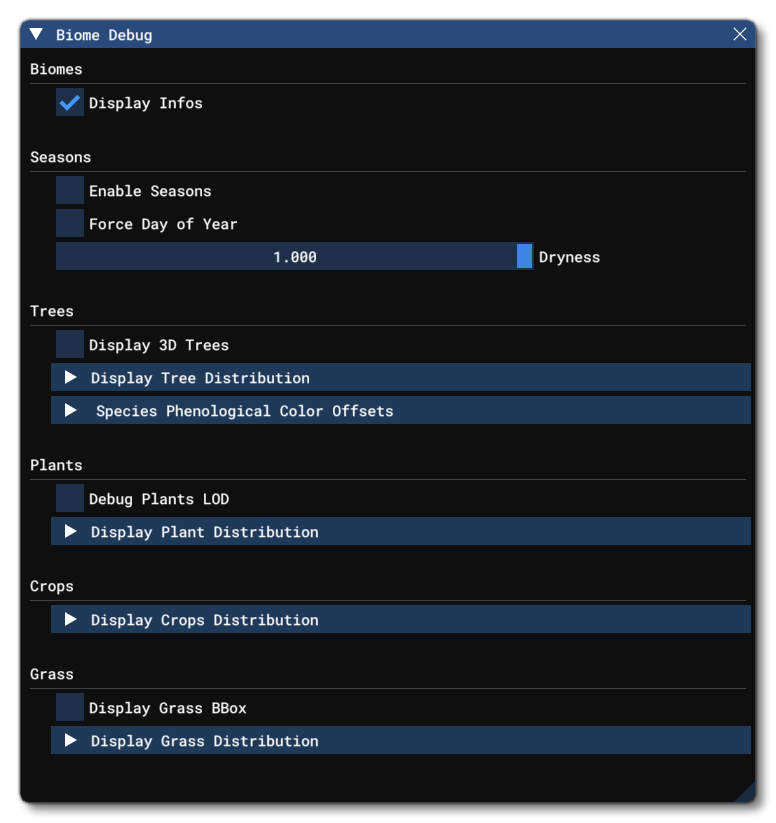
This window offers multiple debug tools related to the different biomes in the world. It is designed to be used in conjunction with the Biomes Editor. You can find full details on the contents of this window on the following page:
-
Debug Surface Types
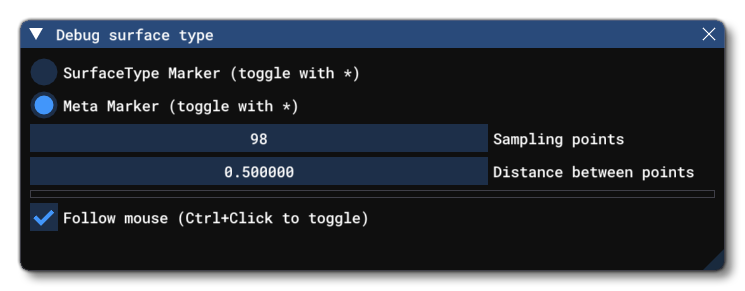
This window allows you to see a visual representation of the different ground surface types. The display will initially be centered around the mouse and show a square area of sample points showing either surface type, or the meta-marker for each point (you can toggle between the two with the
*key). Meta-markers are the ones added manually through scenery and other means, and are more nuanced and detailed, while the surface types are generated through machine learning and are more general and used primarily for vegetation and other large-scale geographic features. Note that from this window you can also change the number of sample points, and the distance between them, so you can expand/contract the area depending on what you require.
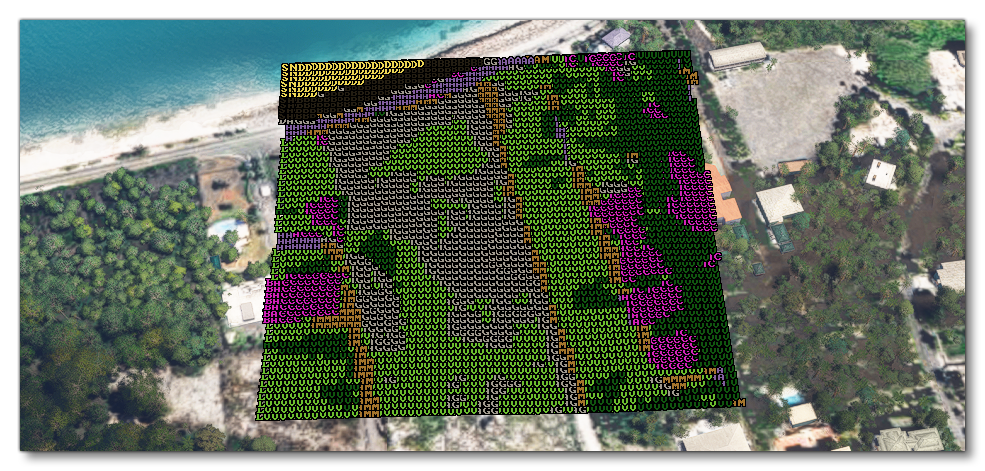 The table below shows the various acronyms and colours that are used, and what surface type / meta marker they represent:
Colour Colour Name Acronym Description Meta Markers Pink CRT Concrete. Green G Grass, low vegetation, soft, bumpy ground that can be landed on. Pink WFS Legacy water from FSX. Pink GB Grass, low vegetation, bumpy ground that cannot be landed on. Dark Grey A Asphalt. Bright Green SG Short grass. Bright Green LG Long grass. Pink HT Hard turf. Light grey SN Snow. Pink ICE Ice. Mid Brown URB Urban buildings and concrete. Dark Green FRT Forest and high vegetation. Light Brown D Dirt and mud, in particular for dirt runways. Pink COR Coral, used for coral runways. Grey Brown GRV Gravel, in particular for gravel runways. Pink OTR Used for oil treated (tar-and-chip) runways. Pink STM Used for steel mats (steel mesh) temporary runways. Pink BIT Bituminous surfaces. Pink BRI Brickwork. Pink MCD Macadam (compacted small stones). Pink PLA Wooden planks. Yellow SND Sand. Pink SHA Shale. Pink TMC Tar macadam. Pink WFT Legacy Wright flyer track from FSX. Blue R Rivers and creeks. Blue WW Waste water. Dark Blue W Large bodies of water. Blue P Ponds. Blue L Lakes. Blue O Ocean. Pink P Painted surfaces. Dark Grey R Roads. Pink EG Grass erasure. Mid Grey RCK Rocky surfaces. Light Brown SCR Scree. Pink DST Dusty surfaces. Brown MUD Mud. Light Blue UKN An unknown (but still valid) surface. Orange UDF An unknown (but invalid) Surface Types Mid brown DAM Dirt and mud. Red Brown RS Rocks. Light Brown DAG Dust and gravel. Black SAB Scree and boulders. Yellow SND Sand. Green LV Low vegetation. Dark Green HV High vegetation. Purple BAC Building and concrete. Blue W Water. Dark Lilac A Asphalt. White SNW Snow. Lilac CLD Clouds. Pink PLG Ploughed land. Pink CLF Cliffs.
-
Display GenId
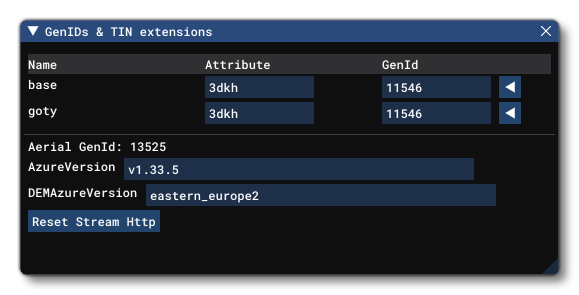
This window is purely for Microsoft Flight Simulator 2024 debugging and should not be used under any circumstances.
Related Topics