STANDALONE MODULE
This sample project illustrates how you can make a single, "stand alone" WASM module that connects to SimConnect SDK without being "attached" to an object within the simulation world. The important part of this sample is found in the Sources/Code folder, where you'll see a Visual Studio project that can then be compiled into a WASM module:
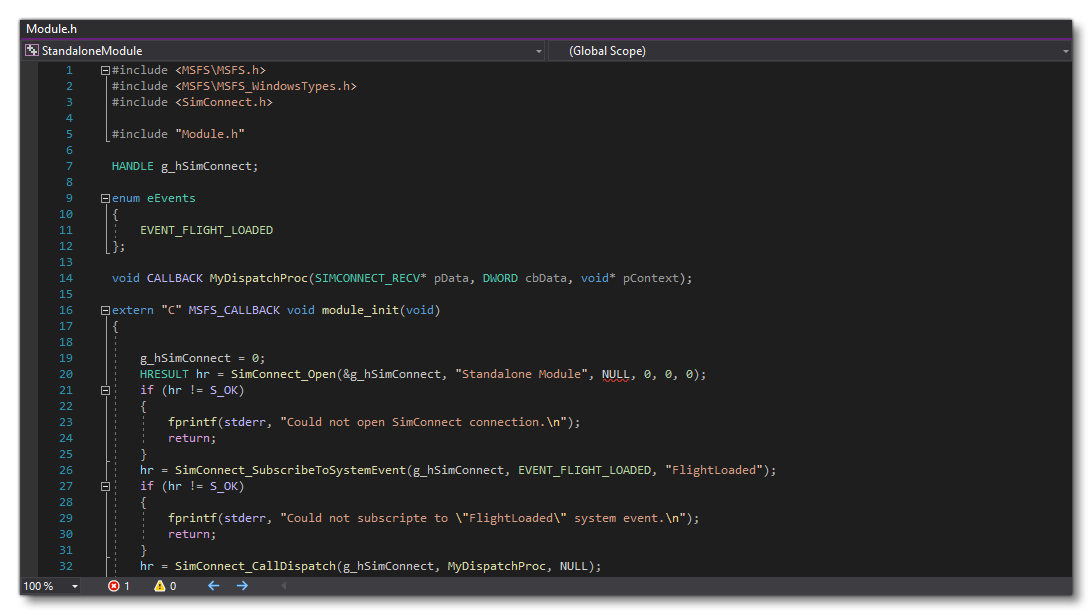
Once compiled the WASM module would be placed into the PackageSources folder to be copied as part of the project, as shown in this project.
Loading And Building The Project
In order to load and build the project in Microsoft Flight Simulator 2024, you must have previously enabled Developer Mode (see here for more information). Once enabled, simply follow these steps:
- Use the Open project... command from the File menu.

- Select the file
StandaloneModuleProject.xmlfrom theStandaloneModulesample project:
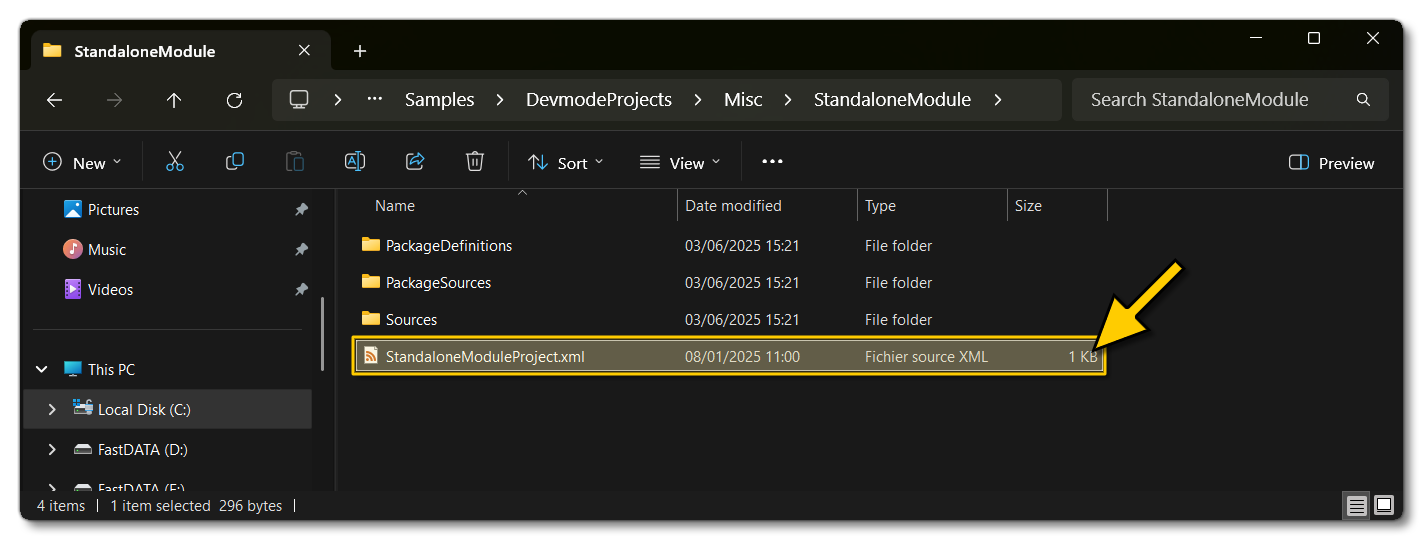
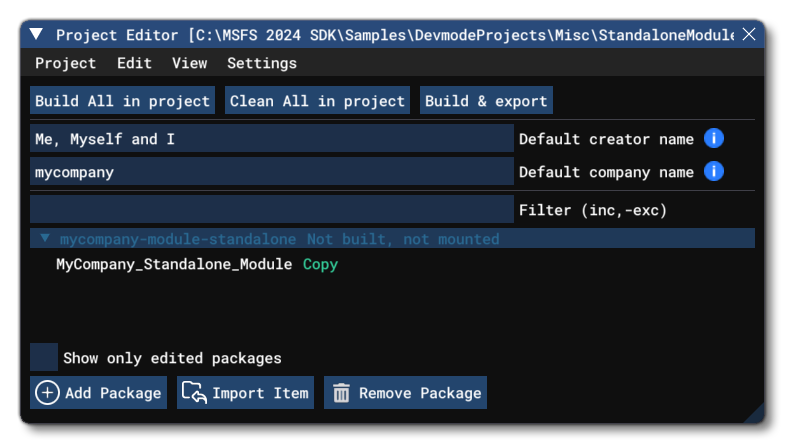
- The Project Editor should open automatically and show you the project
mycompany-module-standalone(if the Project Editor doesn't open, then you can open it from the Developer Mode Tools menu):
- Selecting the project and then right-clicking will open a menu where you can select the Build and Mount option to build the project and mount the created package in the VFS:
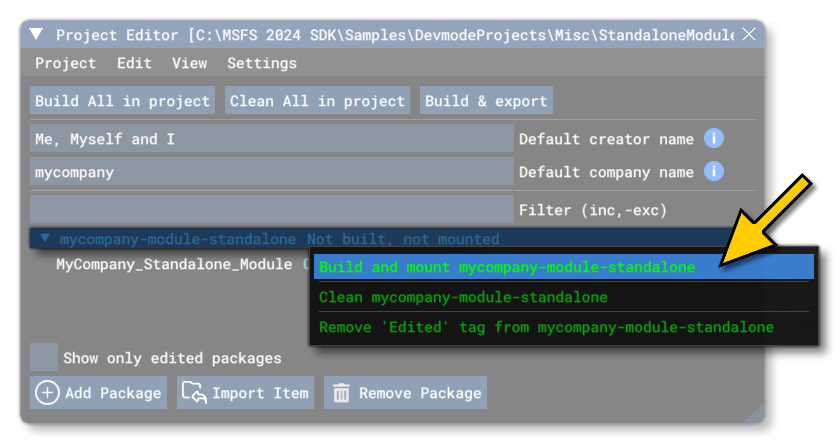
- This will build a package from the files specified in your project. This package will be named
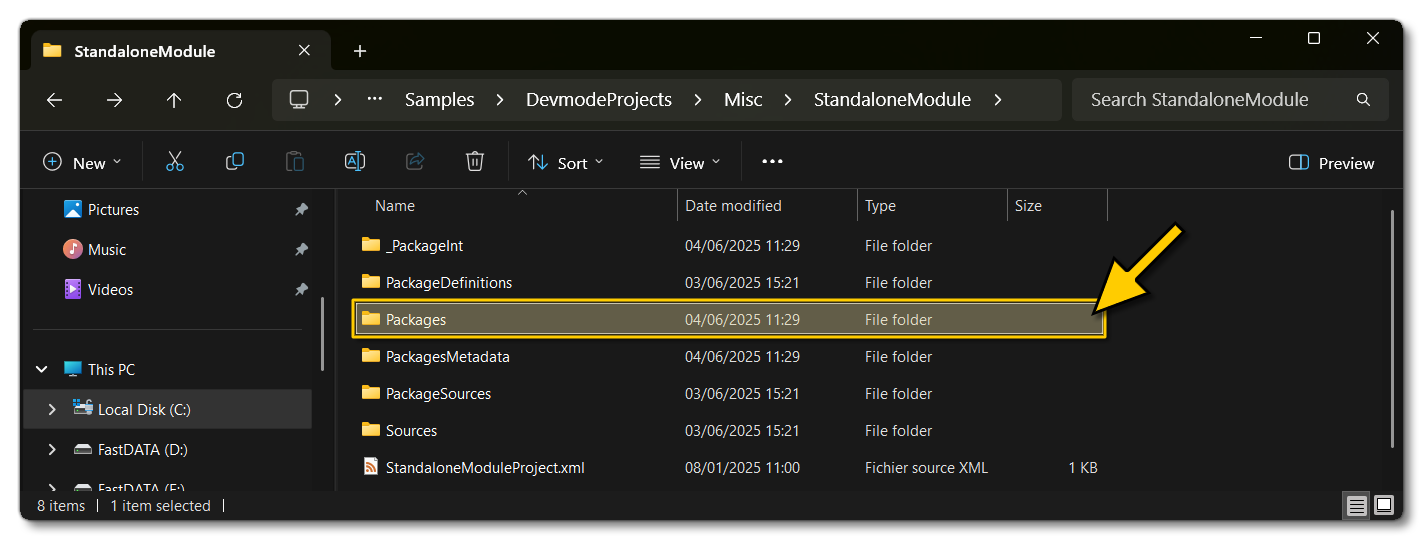
StandaloneModule.wasmand will be output in thePackagesfolder:
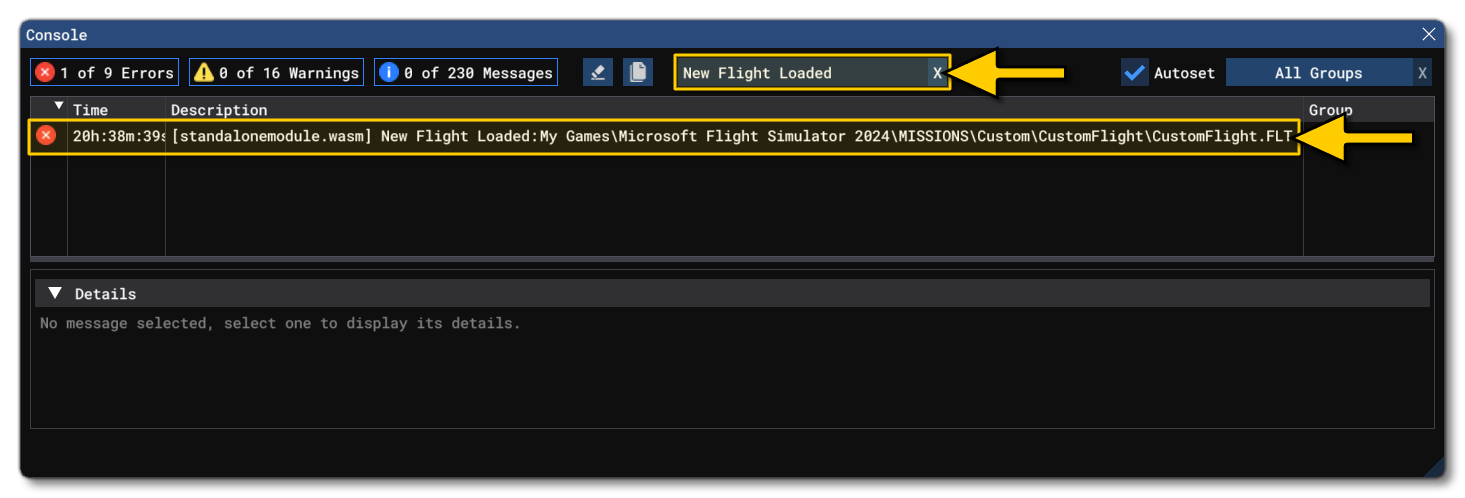
- At this point you should exit any flights and go to the main menu, then start a new flight. After the flight starts, open The Console. Here you can do a search for "New Flight Loaded" (which is the message that the module should output if a flight is successfully started) and you should see the message listed:
0/255