SIMPLE NAV DATA
This sample project is designed to show you some of the ways you can create Navigation Data for flights in the simulation. The sample does two things when built:
- Removes ALL navigation data from the world (waypoints , terminal NDB, ILS, approaches, departures, etc...)
- Adds in navigation data for the Bordeaux Saucats Airport LFCS (frequencies, departures, routes, etc...
The sample is intended to be studied and understood so you can create your own packages with navigation data included.
IMPORTANT! The sample shows the navigation data being cleared for the world using the <DeleteNavigation> tag in the XML, outside of the <Airport> tag. This is not standard practice and should not be done by your own packages. This has been done to illustrate how that tag works, and to make it easier/more obvious to see the new navigation data added at LFCS. See the section Debugging Navigation Data Using <DeleteNavigation /> for more information.
Loading And Building The Project
In order to load and build the project in Microsoft Flight Simulator 2024, you must have previously enabled Developer Mode (see here for more information). Once enabled, simply follow these steps:
- Use the Open project... command from the File menu.

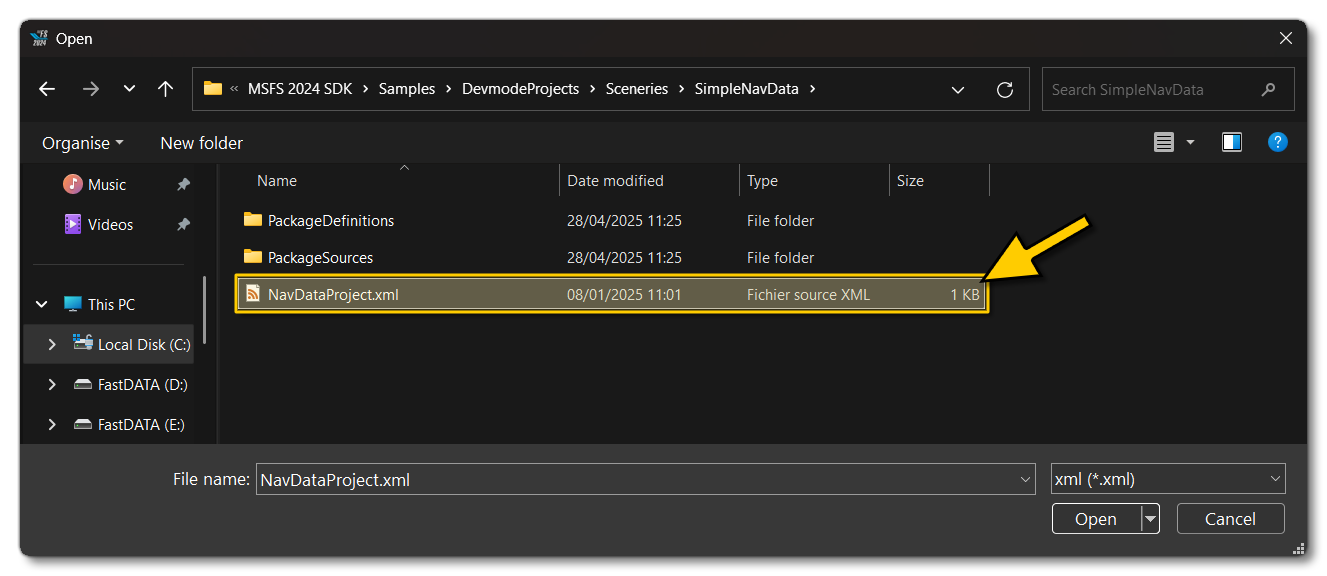
- Select the file
NavDataProject.xmlfrom theSimpleNavDatasample project folder:
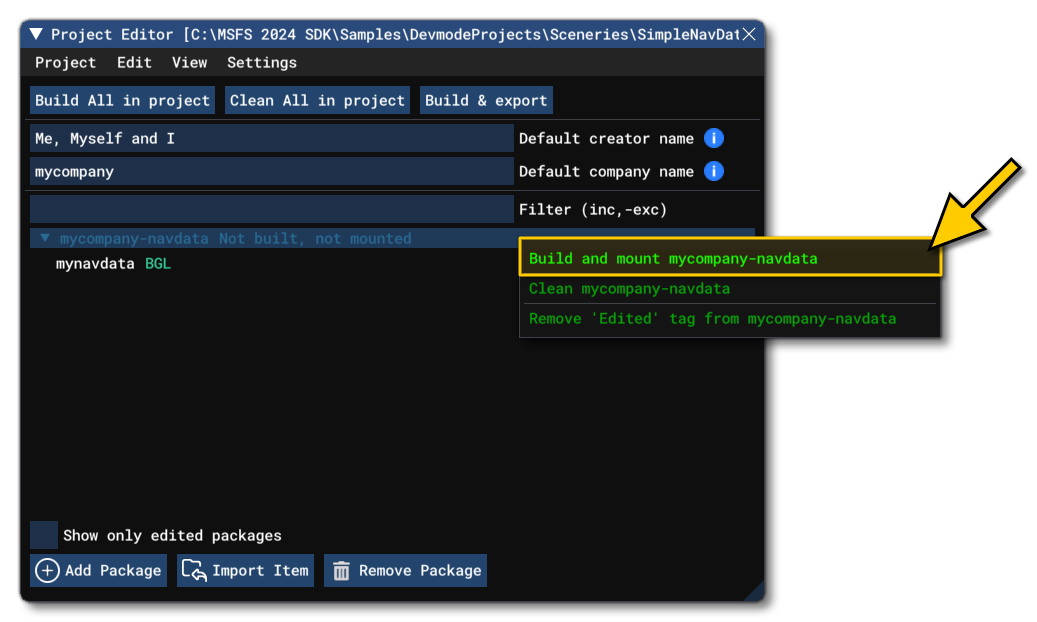
- The Project Editor should open automatically and show you the project
mycompany-navdata(if the Project Editor doesn't open, then you can open it from the Developer Mode Tools menu). You can right-click on the package and then select the build and mount option to build the package:
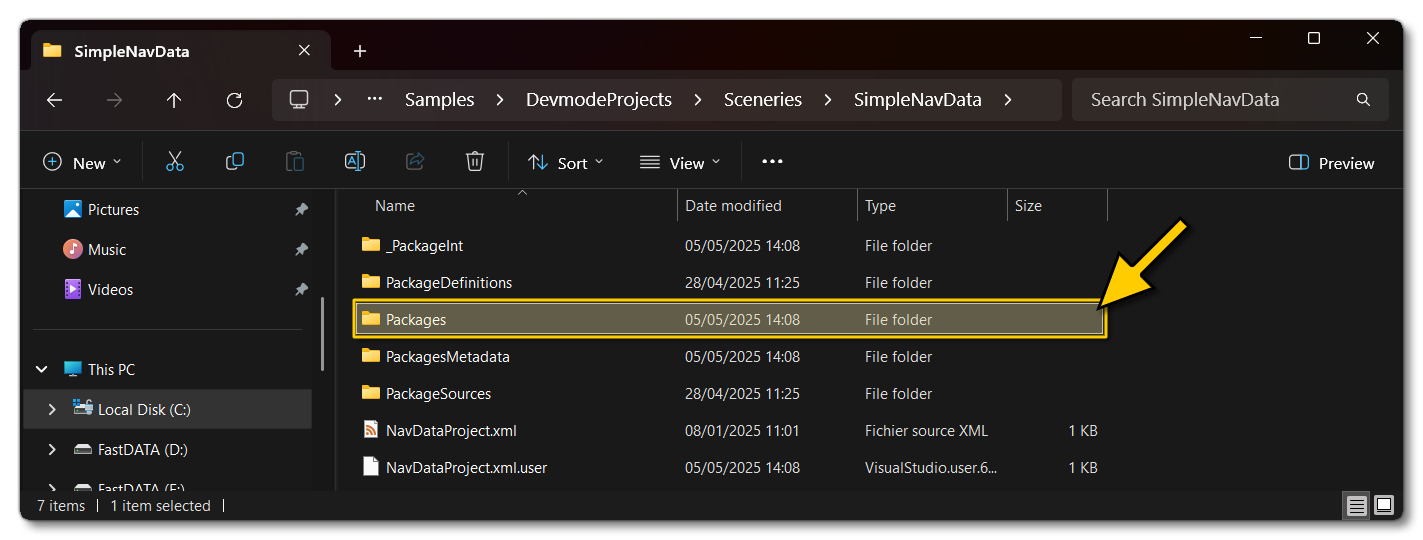
- This will build a package from the files specified in your project. This package will be named
mycompany-navdataand will be output in the Packages folder created in the same directory asNavDataProject.xml:
Once the package has been built, you can see the results by going to the world in Free Flight. If you check the different airports and then their frequencies in the UI or in the EFB, you'll see that there are no more routes, frequencies, etc...

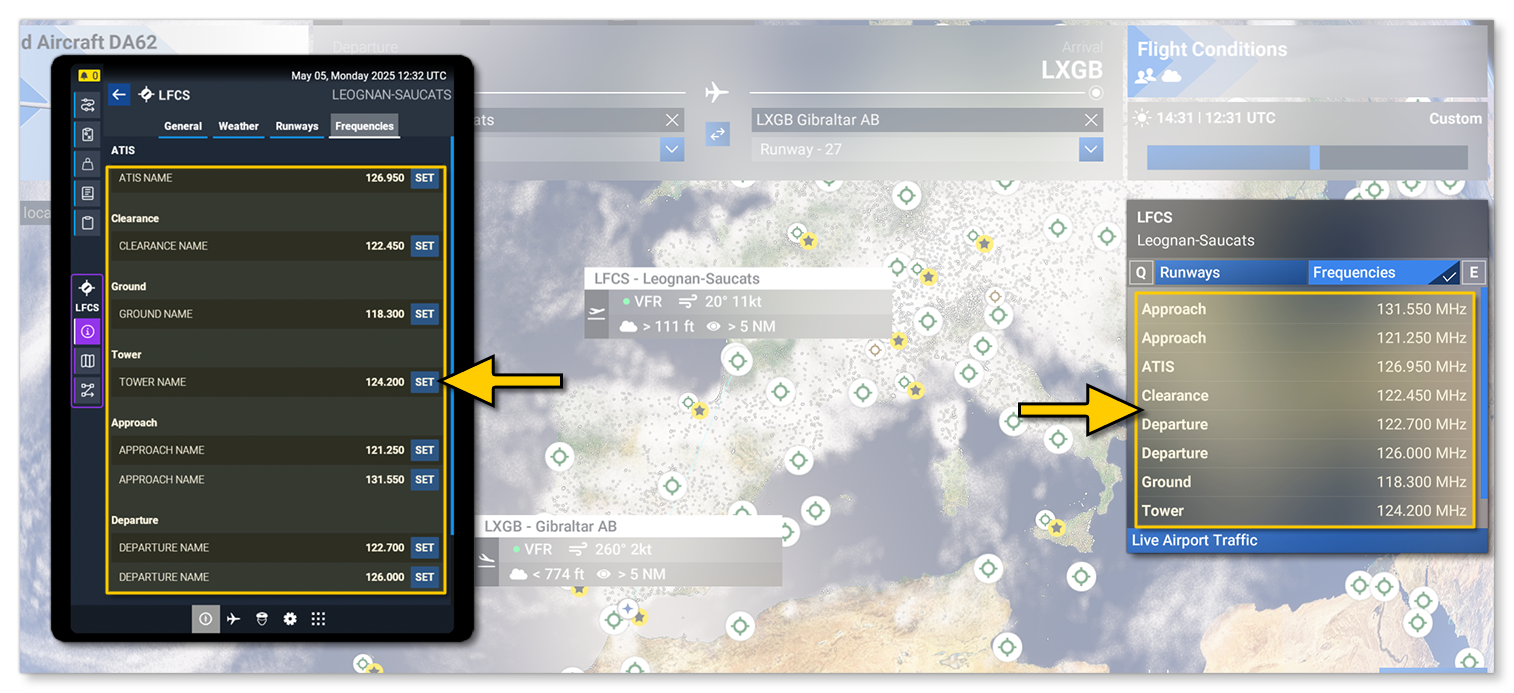
Once you've checked that all navigation data has been removed from the world, you can then go to Bordeaux Saucats Airport LFCS and see that the custom navigation data from the package has been added. For example, frequencies:
Related Topics