IO AIRCRAFT
The IOAircraft aircraft is a preset of the WASMAircraft modular aircraft, which shows three different screens created using the IO API, and each one is focused on a different aspect related to reading and writing files using the API. Once the WASM Aircraft package has been built, this module will be available for flying from the aircraft selection screen:
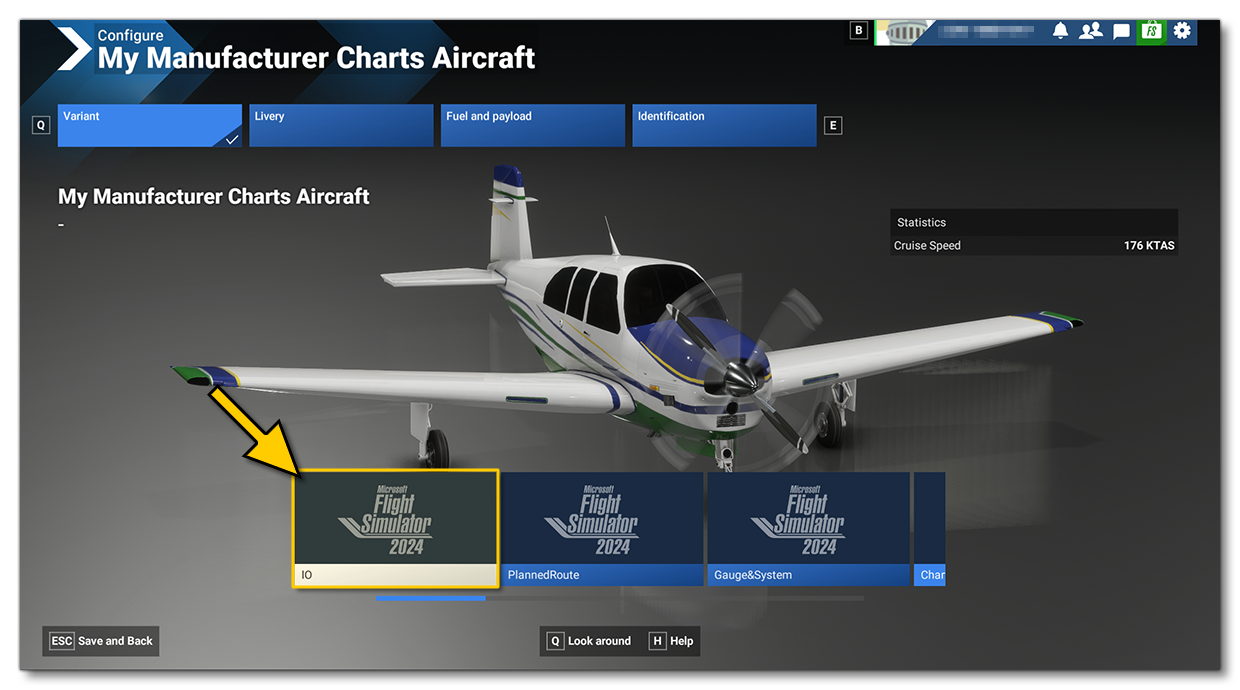
The WasmModules.sln file (found in the Sources folder of the project) will allow you to compile the source-code with Microsoft Visual Studio (2019 or 2022) in order to create the IOModule.wasm WebAssembly module which will then be loaded by the simulation. Once compiled, the module will automatically be copied into the following folder:
[ROOT]\PackageSources\SimObjects\Airplanes\MyCompany_Wasm_Aircraft\presets\mycompany\IOAircraft\panel
Note that if you make changes to the C++ code and recompile the IO WASM module, you will have to build your package again. This can be done while the plane is used within the simulation.
Testing
Once you have built the aircraft and selected it, you can go into a Free Flight and you will see three panels in the cockpit, looking something like this:
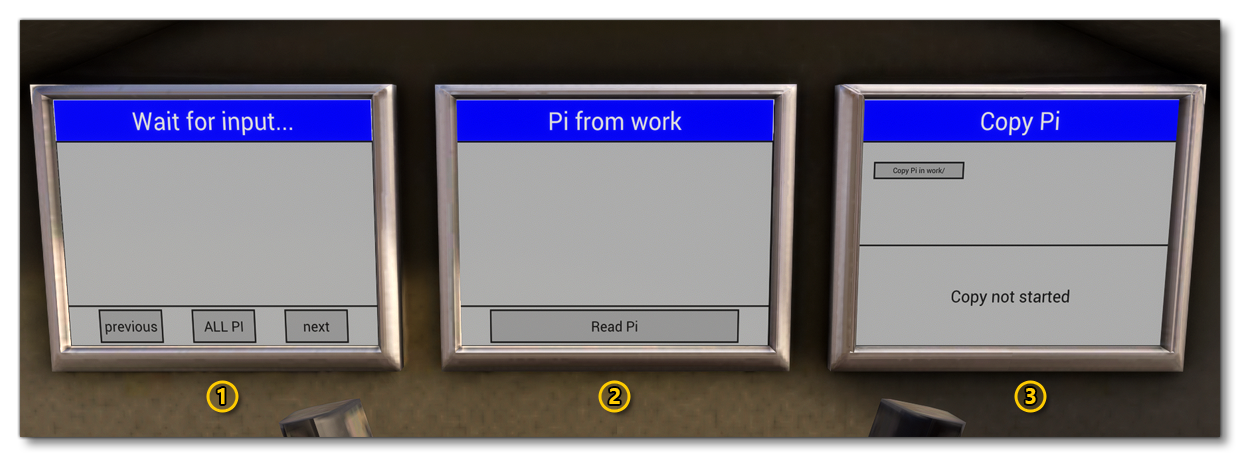
These screens illustrate the following:
- On this screen the value of Pi is displayed. Either as a full value (using the
ALL Pibutton) or in parts (using theprevious/nextbuttons). This value has been read from thepi.txtfile located in theDatafolder of the package.
- This screen shows how a file can be read from the
workfolder. If the file exists (see screen 3, below), then clicking on theRead Pibutton will read pi from the copy of thepi.txtmade in theworkfolder and display it on the screen.
- This screen has a single button -
Copy Pi in work/- which, when clicked, will copy thepi.txtfile into the aircraftworkfolder. The work folder can be accessed from any WASM module, and in this example it is used by Screen 2 to read from the copied file and display pi.