PROPELLER RPM LIMITER ANALYSIS
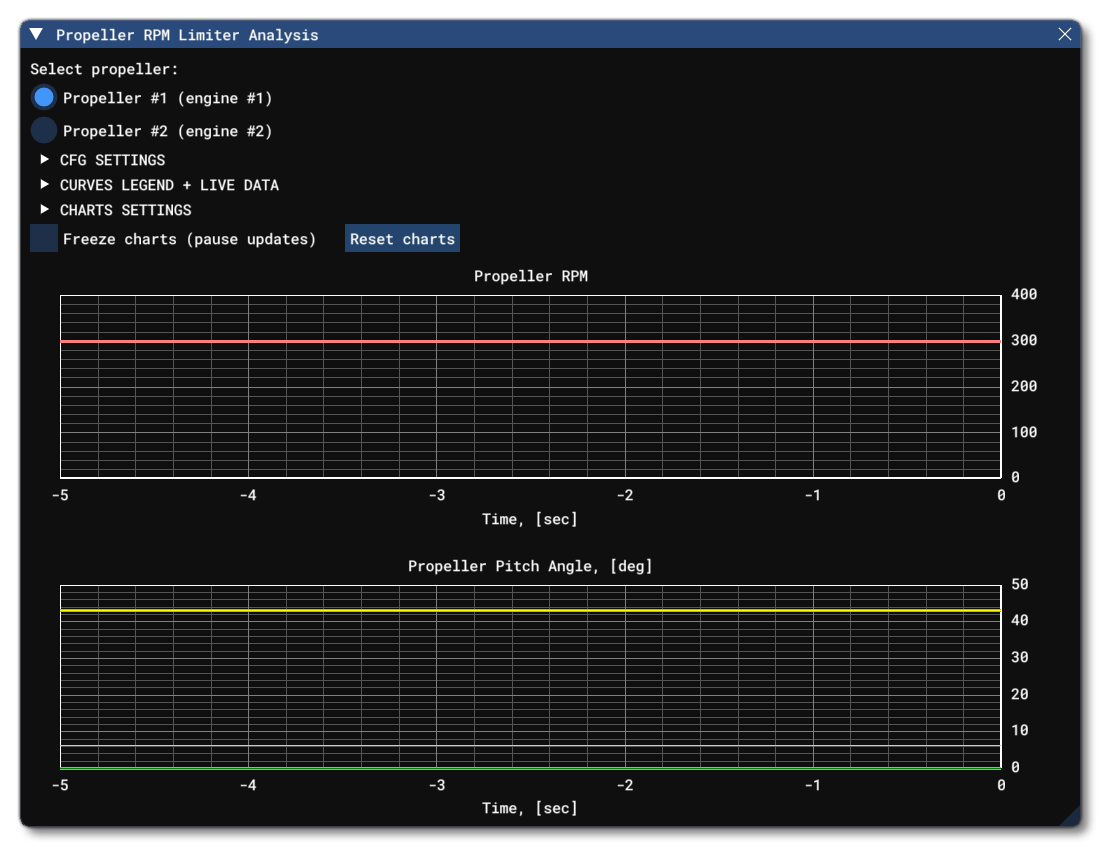
This utility can be opened from the Engines debug window, and was developed to make tuning the PID controllers for both propeller RPM limiter types easier, clearer, and more effective (see the Note On Propeller RPM Limiter for more information). Normally, adjusting PID controllers is difficult when done "blind" as it requires guessing the right coefficients and repeatedly checking results without direct feedback on the effect of each term on the system. However, with the real-time charts provided by this tool, you can observe the PID controller signals - and the limited parameters - as they change directly in the simulation. This makes it possible to evaluate the controller response more clearly and adjust the tuning with a higher accuracy.
Once you have this window open, you will be able to select the engine to view (if there are multiple) from the top and the charts will update to show information specific to that engine. Under the engine selection, you then have three expandable sections containing information and setup data for the window.
Note that:
- if the aircraft does not have a constant-speed propeller
- if the aircraft does not have a turboprop engine
- if neither type of propeller RPM limiter has been initialized via the corresponding parameters in the
[PROPELLER]section of theengine.cfgfile - if initialization failed due to invalid configuration (missing required parameters or invalid values in those parameters)
then the Engines debug window will display an appropriate notification instead of the checkbox to enable this tool.
CFG Settings
This section provides reference information about the selected propeller RPM limiter settings, as well as additional parameters that affect its behavior.
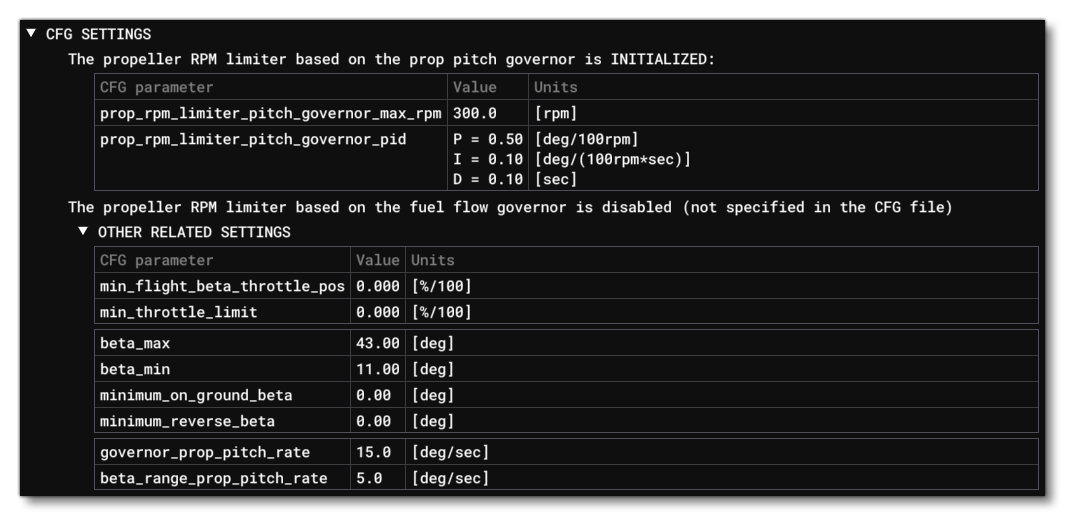
The amount and type of displayed information will automatically adapt to the current settings in the CFG file, and it can't be edited from this part of the window. This section is simply an easy reference to the important parameters related to the propeller limiter when working with this tool.
Curves Legend + Live Data
This section provides a legend for the curve colors on the charts and displays the real-time numeric values of the current parameters.
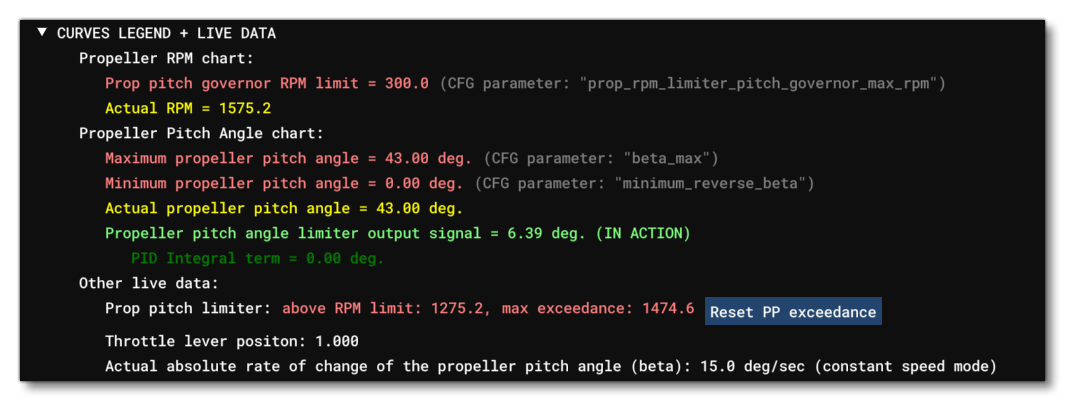
The amount and type of displayed information automatically adapts to the current conditions. It should be noted that as part of the information, you are shown how much the propeller RPM exceeded the set the limit over the observed period, and it has an accompanying button: Reset PP Exceedance. This can be used to reset the exceedance check so that changes can be observed over a following period of time.
Charts Settings
This section can be used to customise the layout of the charts that are displayed as well as freeze them and reset them.
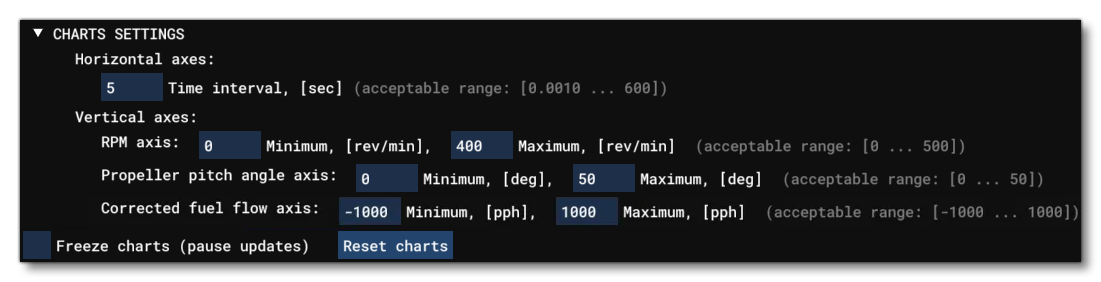
The available options are as follows:
- Time Interval: This sets the time interval (in seconds) between each sample of the RPM value used to generate the charts.
- Vertical Axis:
- RPM Axis: From here you can set the minimum and maximum RPM values to be used for the vertical axis of the Propeller RPM chart (In revolutions per minute, between 0.001 and 600).
- Propeller pitch angle axis: From here you can set the minimum and maximum pitch angle values to be used for the vertical axis of the Propeller Pitch Angle chart (in degrees, between 0 and 50).
- Corrected Fuel flow axis: From here you can set the minimum and maximum fuel flow values to be used for the vertical axis of the Propeller Pitch Angle chart (in lbs per second, between -1000 and 1000).
- Freeze Charts: When you check this option, updates to all the visible charts willbe "frozen" and no-longer updated. Un-checking this again will start updates again.
Reset Charts: This will clear all the charts of all data. Note that if updates are not frozen, then they will immediately start to be redrawn from the current sampling data.
Charts
The Propeller RPM Limiter Analysis window will present you with the following two charts:
- Propeller RPM
- Propeller Pitch Angle
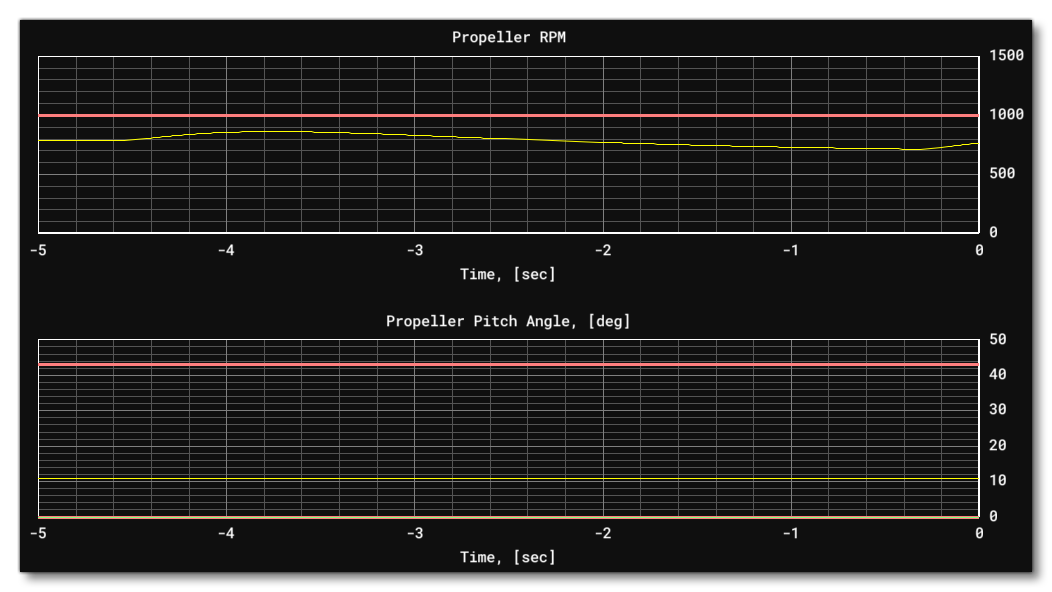
And if the aircraft has the fuel flow governor setup, then you will have a third chart:
- Engine Corrected Fuel Flow (lbs per hour)
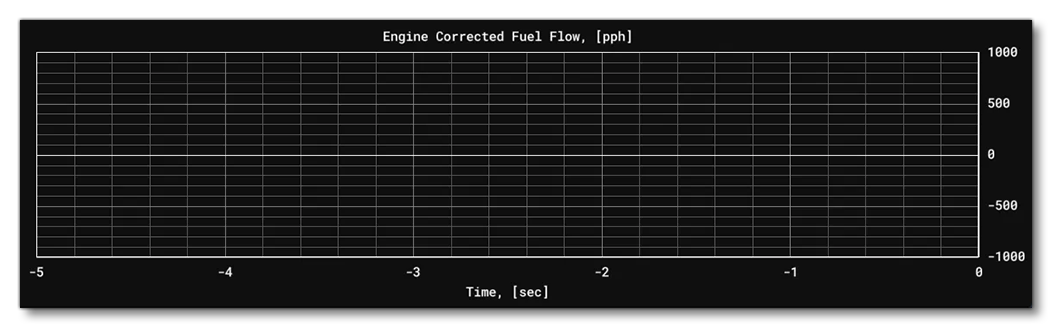
Note that if only the fuel flow governor is initialized (without the prop pitch governor), the "Propeller Pitch Angle" chart will still be displayed, since turboprop engines assume the use of a constant-speed propeller, and the propeller pitch angle is an important parameter for evaluating the overall system behavior.
Related Topics