PASSIVE AIRCRAFT
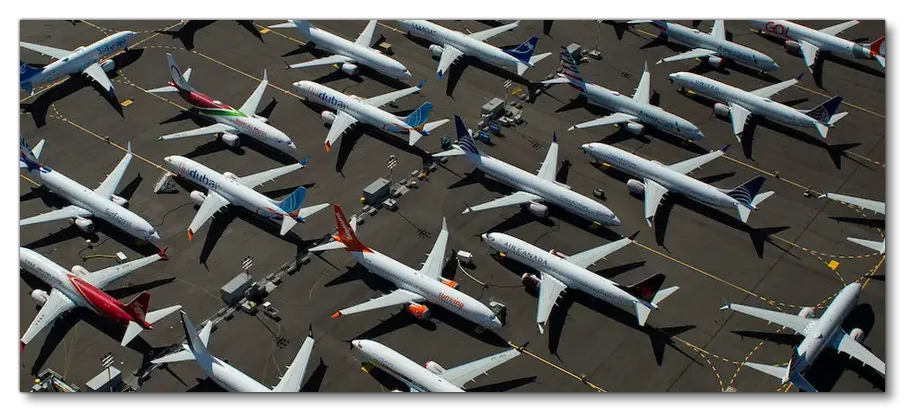
Passive aircraft are less detailed versions of their active counterparts, and so if you're making an aircraft for users to fly, you should create a passive version as well so it can be used to populate the world as parked aircraft and as AI air traffic. Before getting started modelling your passive aircraft versions, there are a few things to keep in mind:
- These aircraft are not supposed to be flyable by users and are mainly visible from afar.
- The detailing required by these aircraft is far lower than for an active aircraft, which means the poly count and texture count should be low.
- These aircraft will populate big airports so you want to have the smallest possible impact on the simulation performance.
Details
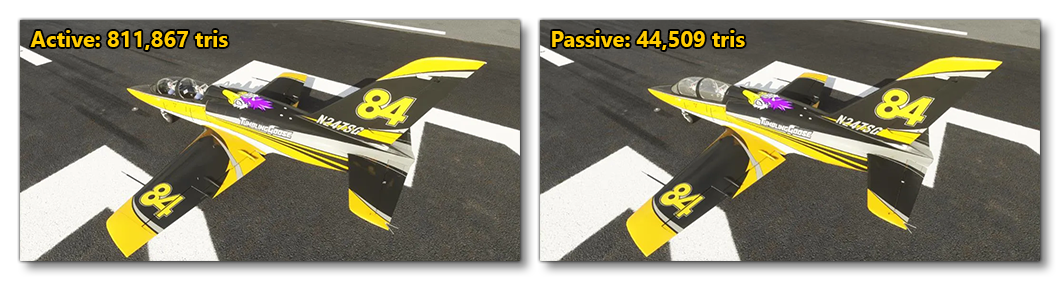
Since passive aircraft cannot be flown, and will be usually be seen from a distance, they do not need the same amount of detail that an active aircraft requires. This means that things like rivets, seals, seams, etc... can often be omitted completely, for example:

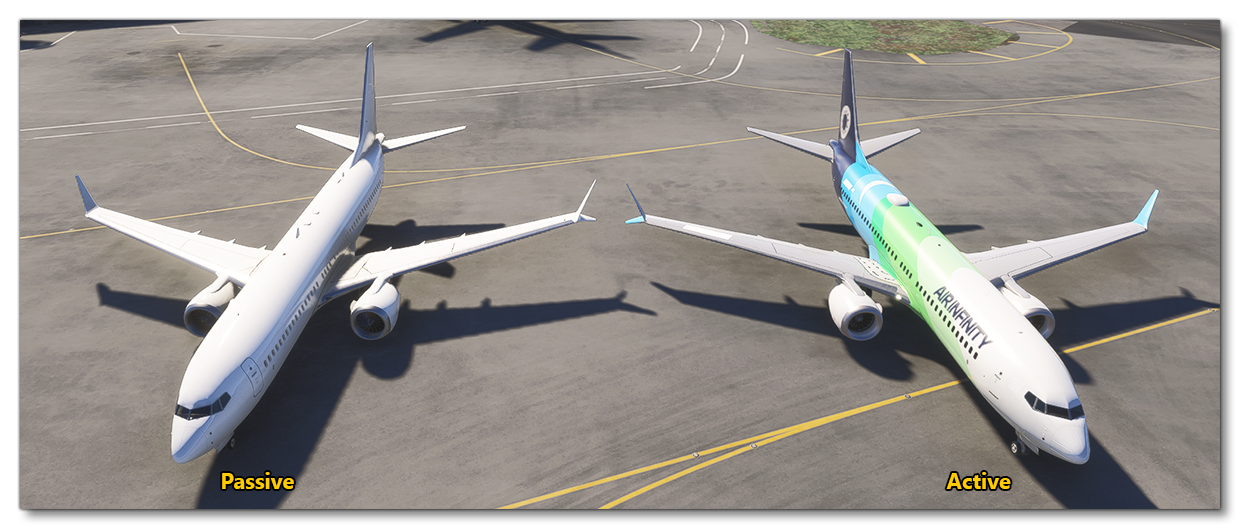
However, this does not mean that the models should not look identical when seen from a respectable distance, and great care should be taken to ensure that the aircraft silhouettes are identical between the active and passive versions:
Mandatory Elements
While passive aircraft are much less detailed than active aircraft, there are certain areas that require particular attention since these will be very obvious to users if they do not exist or are not animated. These we consider mandatory elements that must be included in your passive aircraft (when applicable). The sections below outline these elements.
Animation
The following parts of the aircraft must have the appropriate animations:
- Airplanes
- Elevators
- Rudder
- Ailerons
- Flaps
- Landing gear (if retractable)
- Wheel steering
- Speedbrakes / spoilers
- Thrust reversers (on jets only, don’t animate prop pitch)
- Propellers (if not a jet)
- Helicopters
- Landing Gear (if retractable)
- Rotor
- Tail Rotor
Lights
Passive aircraft must have the same basic lights as their real life counterparts, ie:
- Navigation lights
- Landing lights
- Flashing beacons
LODs
Passive aircraft are already low-poly, however that doesn't mean they don't need LODs, just that they need less LOD levels than active aircraft. Depending on the size of the aircraft you should still have between 4 to 5 LODs following these general rules:
- LOD00 - Aim for approximately 50k tri for small/medium aircraft and 70k tri for large aircraft.
- LOD 00 - 02 should be like active aircraft, using textures (albedo/comp/normal/emissive) and allowing transparent materials.
- LOD 03 - 04 can be done using only vertex paint w/out alpha and no cockpit.
- LOD 05 can be added for larger aircraft, but it should be very simple (around 100 tris).
Cockpits
Due to the technical restrictions applied to passive aircraft it's unnecessary to give them detailed and compelling cockpits. Therefor you should only be modelling the larger shapes (seats, yokes, dashboards, etc...) and then add in all the smaller details as decals (glasscockpits, buttons, gauges, etc...).
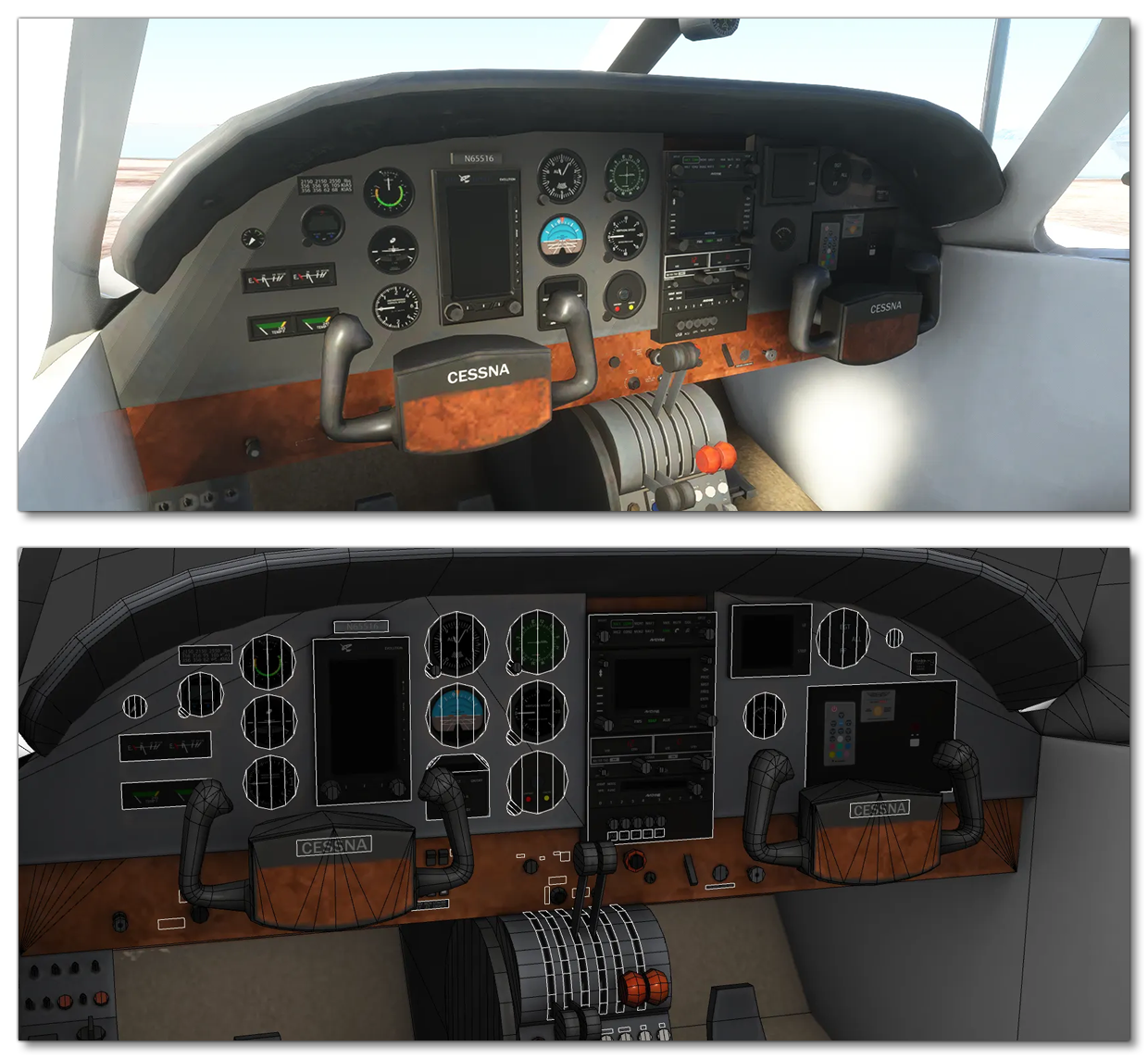
Since you won't be using texture space for things like rivets and screws, you should be able to make these decals at a decent resolution so that they're convincing from the distances at which they'll be viewed.
Animations
Even though passive aircraft are used to populate airfields as parked aircraft, they are also used for air traffic and can fly, takeoff, land, and taxi, just like active aircraft. As such, they should have the same basic animations to make them convincing from a distance.
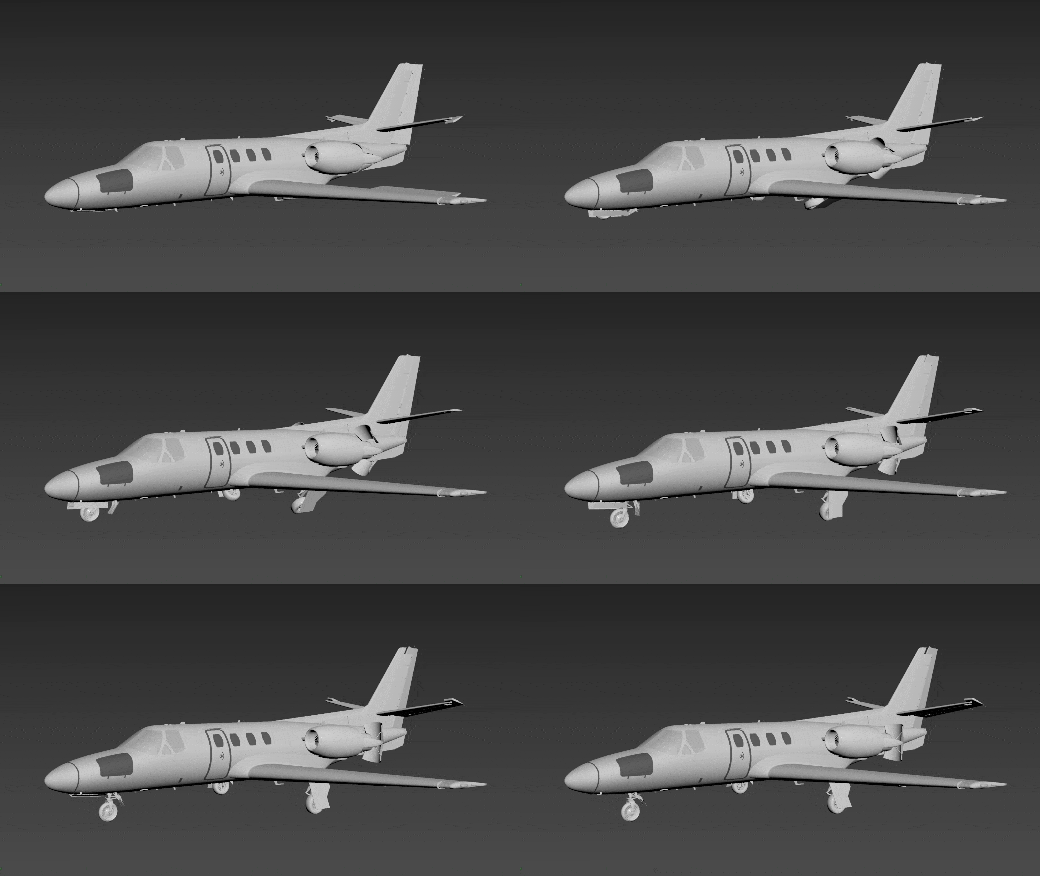
Passive aircraft should have animated control surfaces and landing gear as well as any other part that moves during flight and taxi, like the thrust reversers and turbojet/turbofan blades. The timing for these things is important too and is generally defined as follows:
- Frame 0: Landing gear out and compressed in parked position. Control surfaces in neutral position.
- Frame 1: Landing gear completely retracted. Begin control surfaces animation (frame 1-100).
- Frames 2-100: landing gear extension and compression animation.
Pilot and Copilot
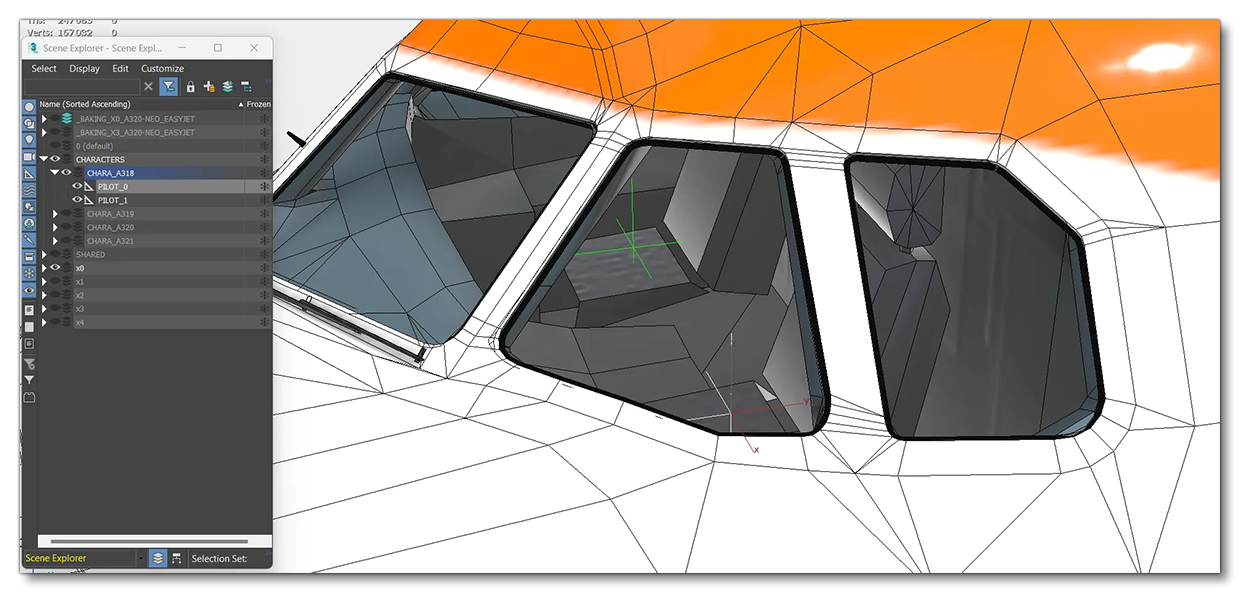
Passive aircraft will still need to be set up to accept pilots and copilots, as these will be added by the simulation using procedural characters. The setup for this is simple: include PILOT_0 and PILOT_1 dummy node over the cockpit seats, as shown in the image below.
You will also need to ensure that the [PILOT] section exists in the aircraft.cfg file, with the following parameters and values:
[PILOT]
pilot = "Pilot_Uniform_Passive"
copilot = "Copilot_Uniform_Passive"
pilot_attach_node ="PILOT_0"
copilot_attach_node ="PILOT_1"
Note that you may not always see a pilot/copilot spawn in the aircraft when it is used by the simulation due to the limits on how many procedural characters can be spawned at any one time. However you should always see them when you spawn the aircraft using the Scenery Editor, making this an ideal way to test a passive aircraft package:

Exporting And Package Setup
Passive aircraft follow the modular aircraft project structure and as such should be modeled and exported in the same way. The export process is the same as that for user aircraft, and is explained here:
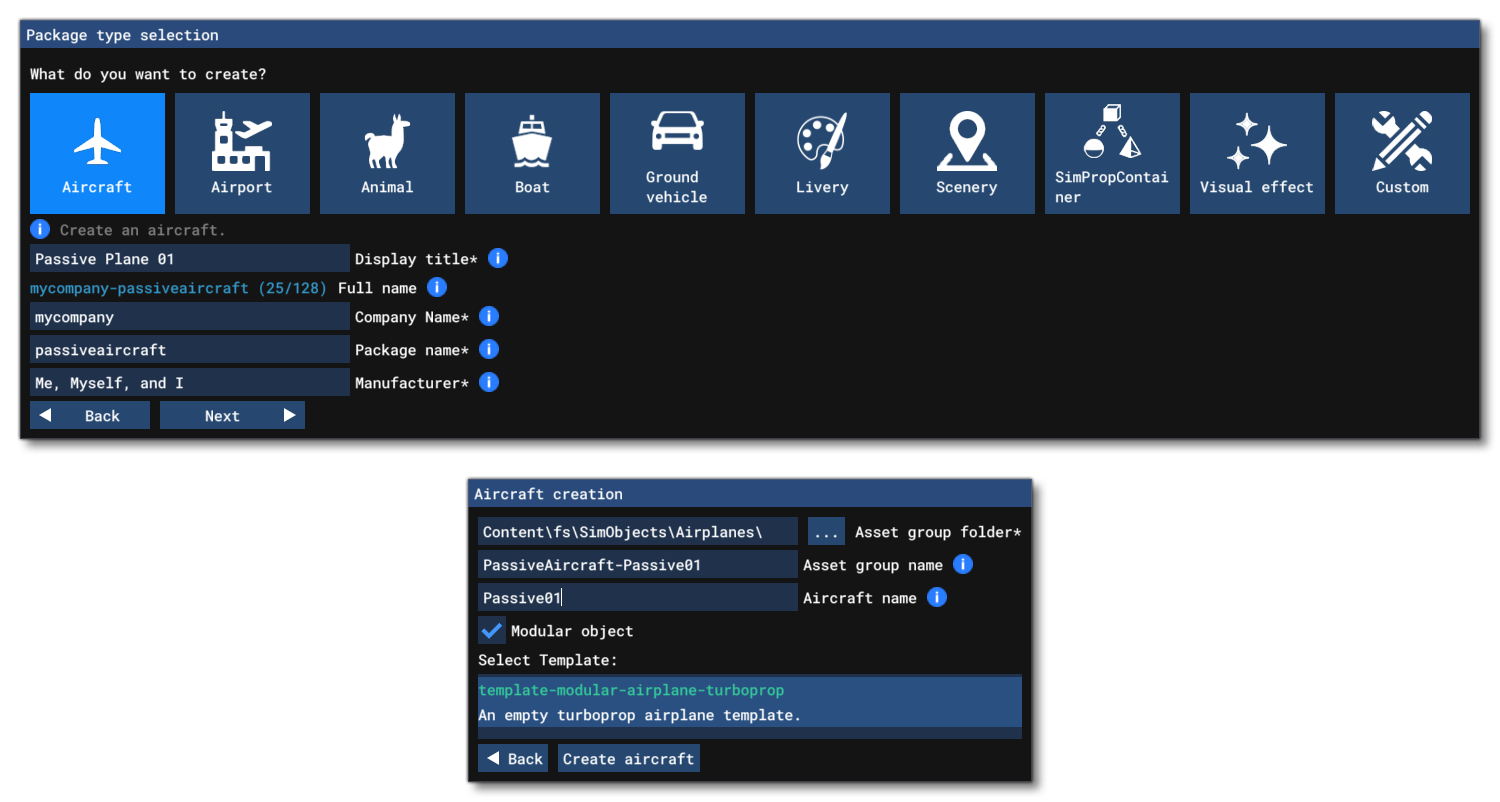
When it comes to the package setup, this too is the same as for a user aircraft, and starts with creating an aircraft package in the Project Editor, selecting all the same options that you would for a regular aircraft, although we strongly recommend that you include the word "passive" somewhere in the folder names and the package name. For example:
You can find a full description of how the package is setup on the following page:
When it comes to the CFG files, they can generally be set up the same way as for a regular user aircraft, however there are a few things that are important to set up correctly, primarily with the aircraft.cfg. To start with the following parameters in the [GENERAL] section should be set up according to the values taken from the ICAO Aircraft Type Designators web page:
You'll also want to setup the [PILOT] section (as explained above), the [SERVICES] section, and then ensure that the following parameters are set as shown in the code snippet below in the [FLTSIM.N] section:
[fltsim.0]
...
isAirTraffic=1
isUserSelectable=0
canBeUsedByAITraffic=1
...
You can find a complete explanation of why these parameters are so important on the following page:
Other than these, you'll want to set up the aircraft gemetry, flight model, contact points, etc... as you would for a regular user aircraft.