LIVING WORLD
This sample project is designed with two purposes in mind:
- Illustrate how the Living World XML is defined
- Provide a template for creating your own Living World files
As such, this sample project isn't really meant to be built in the simulation, although it can be, and the section below shows how this can be done and explains how you should structure your own projects to use them in your own add-ons.
Loading And Building The Project
In order to load and build the project in Microsoft Flight Simulator 2024, you must have previously enabled Developer Mode (see here for more information). Once enabled, simply follow these steps:
- Use the Open project... command from the File menu.

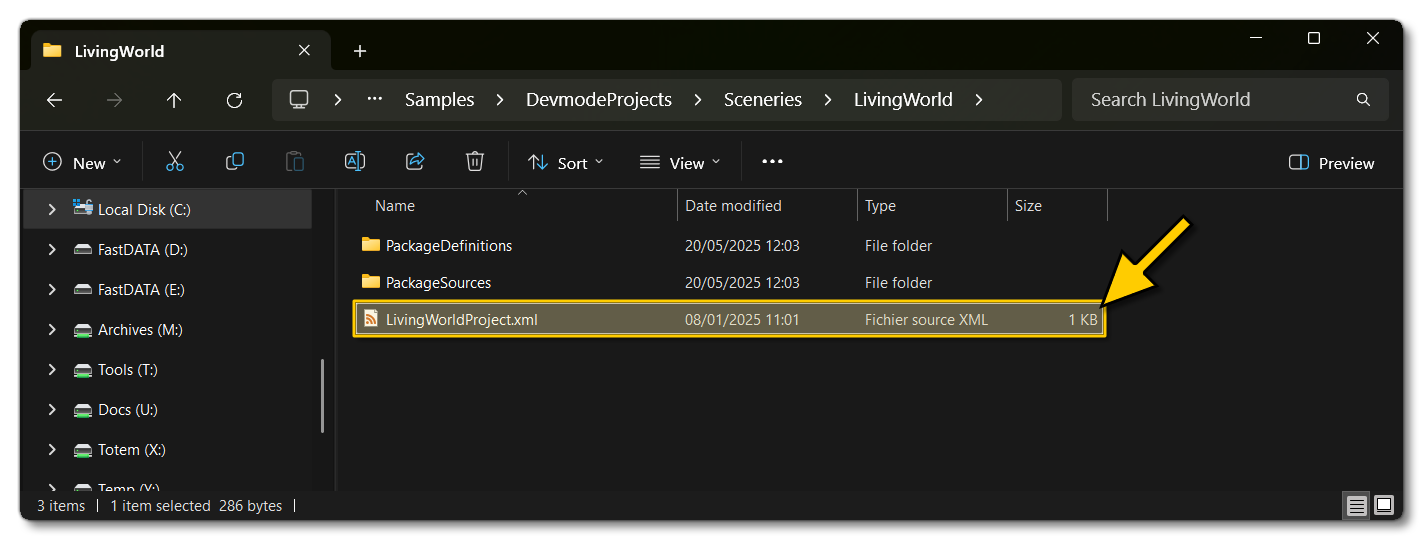
- Select the file
LivingWorldProject.xmlfrom theLivingWorldsample project.
- The Project Editor should open automatically and show you the project
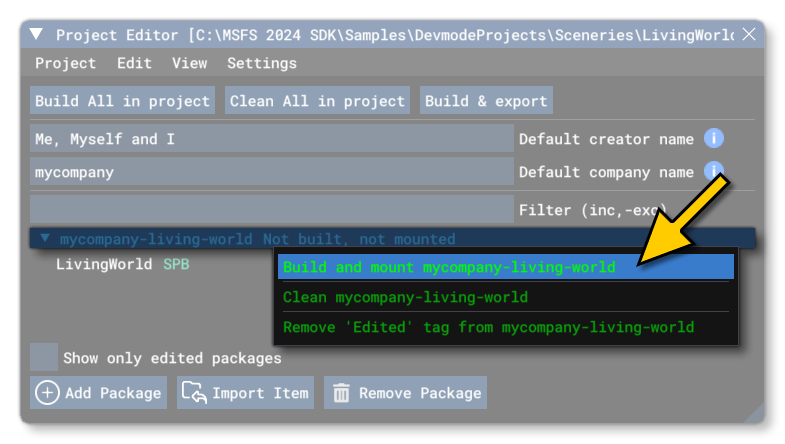
mycompany-living-world(if the Project Editor doesn't open, then you can open it from the Developer Mode Tools menu): If you expand the project you'll see that the Living World files are saved as
 *.spbfiles, which is the file format that Microsoft Flight Simulator 2024 uses for compressed and compiled XML files.
- Selecting the project and then right-clicking will open a menu where you can select the Build and Mount option to build the project and mount the created package in the VFS:
- This will build a package from the files specified in your project. This package will be named
mycompany-living-worldand will be output in the Packages folder created in the same directory asLivingWorldProject.xml:

- With other sample packages, you can then go into the simulation and travel somewhere to see the additions that they have made. However, with living world files, this is not possible and they require that Microsoft Flight Simulator 2024 be restarted to see them. So, you would now need to go into the Package folder (shown above) and copy the folder mycompany-living-world, then paste that into the The Community Folders. Once that is done you can restart Microsoft Flight Simulator 2024 and see the changes to the living world.
NOTE: This sample uses the core configuration of the Living World in Microsoft Flight Simulator 2024, and as such you will see little or no change in the way traffic and other living world items are generated after adding this sample to the Community folder. This sample is meant purely as an informative tool.
Related Topics
0/255