TRAVELBOOK PAGE XML PROPERTIES
The TravelBook.xml file goes in the main project folder beside the other files and folders required for the World Photography mission type, and is used to define the main "pages" of the travel book, where each page functions as the header for a collection of objectives (defined using the Travelbook Objective XML Properties). This file is formatted using XML and can be edited by using any text editor. The general format for the file is as follows:
<?xml version="1.0" encoding="UTF-8"?>
<SimBase.Document Type="TravelBook" version="1.0">
    <TravelBook.Definition>
        <Collection Name="$$:MAN MADE"  Picture="PICTURE_PATH_0" InstanceId="{3855AF42-03C5-48FF-9064-BA69F6C973B9}">
            <Page Name="[TT PAGE_NAME]"  Picture="[IMAGE_PATH]" InstanceId="[GUID]>
                <WorldPosition>[Position]</WorldPosition>
                <DESCR>[TT Description]</DESCR>
                <PageCategory>[Category]</PageCategory>
                <Country>[TT Country]</Country>
                <Weight>[Order Weight]</Weight>
            </Page>
        </Collection>
    </TravelBook.Definition>
</SimBase.Document>
Here you must include the <SimBase.Document> element and it's type needs to be "TravelBook". You would then add the <TravelBook.Definition> element and everything required to define the travel book page(s) inside this. Below you can find information on the different sections used in the TravelBook.xml file as well as what parameters and values are expected within them.
For more information on how this file should be used, please see here:
For an example of use, please see here:
<SimBase.Document>
This is the main parent element that is used to contain the travelbook page data. This element must have the following sub-element:
This element also has the following attributes:
| Attribute | Description | Type | Required |
|---|---|---|---|
type |
The type of SimBase file. Should always be "TravelBook" for the world photography mission XML. | String | Yes |
version |
The file version, must be 1.0. | Float | No |
<TravelBook.Definition>
This is the main container element for your travelbook definition. It has no attributes, and can contain the following sub-elements:
<Collection>
This is a sub-element of the <TravelBook.Definition> element and can contain one or more of the following sub-elements:
This element also has the following attributes (note that these are not used by the simulation, except for debugging):
| Attribute | Description | Type | Required |
|---|---|---|---|
Name |
The travelbook name. Must be formatted as "$$:[name]" | String | Yes |
Picture |
A picture to associate with the travel book. As this is not used, but is required, you should always use "PICTURE_PATH_0". | String | Yes |
InstanceId |
The unique ID of the collection, as a GUID enclosed in {}. This is not used, but should still be supplied. You can find more information on GUID's here: GUIDs |
String | Yes |
<Page>
This is a sub-element of <Collection> and is where you define a "page" in the travel book. A page is a collection of places in the world where you will have different objectives, and is used to introduce the general theme of the collection to the user. You can have multiple pages if required, where each one defines a separate collection of objectives, for example you can have a page for hot-air balloon objectives, and another for fauna objectives, etc... It can take the following sub-elements:
This element has the following attributes:
| Attribute | Description | Type | Required |
|---|---|---|---|
Name |
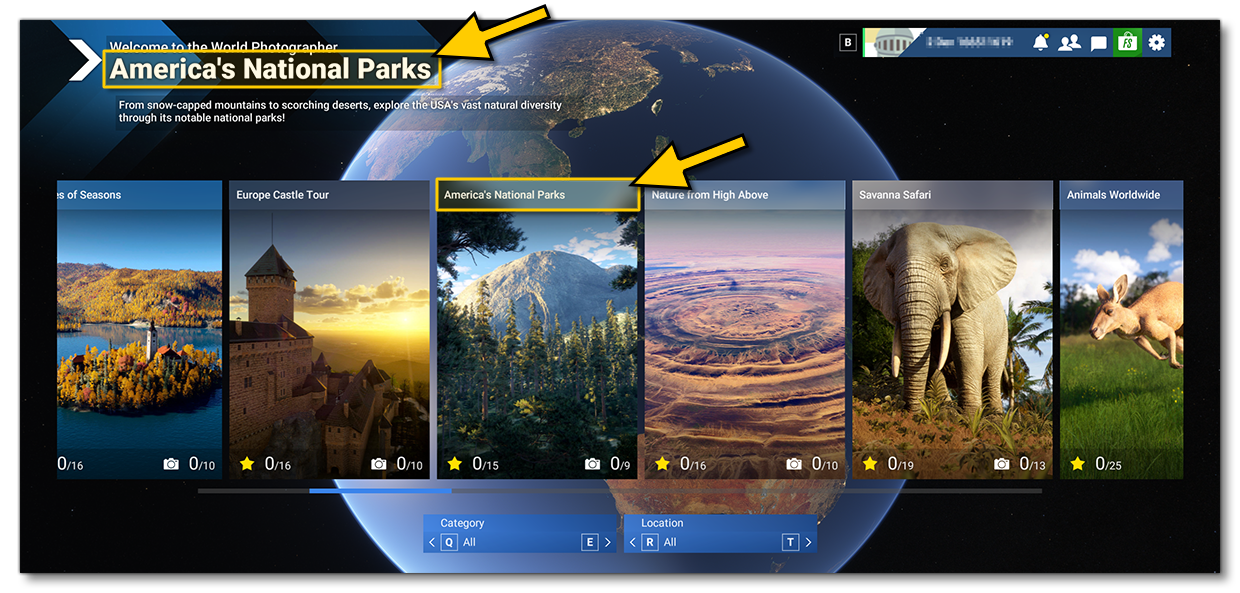
This is the name that will be displayed on the screen for the travel book page. It can be localised.
|
String | Yes |
Picture |
This is the path and filename of the image to use for the travelbook page. The path should start from the top level of the built package - not the sources folder - and the file should be in *.jpg format, authored at 700 x 1020px. The image should be representative of what kind of world photographer missions the travel book contains. |
String | Yes |
InstanceId |
The unique ID of the travelbook page, as a GUID enclosed in {}. This ID string should be unique and it will be what the different objectives refer to so they are grouped under this page. You can find more information on GUID's here: GUIDs |
String | Yes |
<WorldPosition>
This is a sub-element of the <Page> and is used to give a world position for the page. However, this is not used by the simulation but the element is still required. The element has no attributes and takes a set of data using the format:
<Latitude [CompassDirection][Degrees*][Minutes'][Seconds"]>, <Longitude [CompassDirection][Degrees*][Minutes'][Seconds"]>, <Altitude+/->
For example:
<WorldPosition>N35* 11' 48.42",W106* 35' 53.15",+00200.05</WorldPosition>
<DESCR>
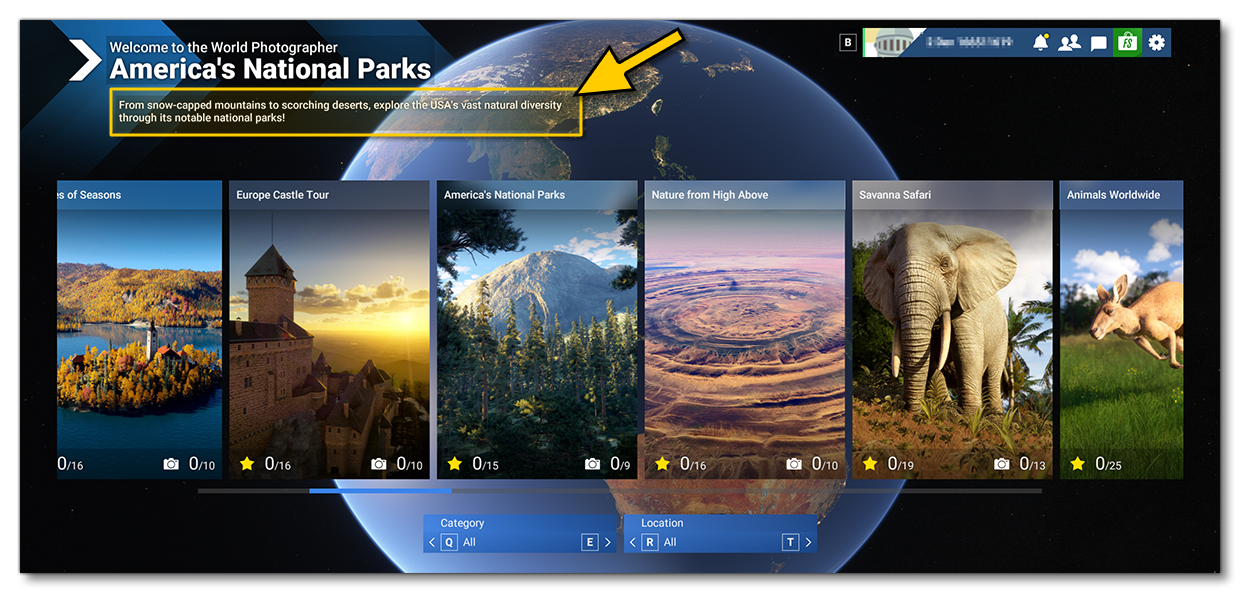
This is a sub-element of <Page> and is used to provide a description of the travel book theme. This is a required element. The text will appear at the top of the main world photographer selection screen when the travel book page has been selected, and it can be localised:
For example:
<Descr>Explore the incredible man-made prehistoric monuments around the world that can only be viewed from the air.</Descr>
<PageCategory>
This is a sub-element of <Page> and is used to define the category of the travel book page. This is a required element which will be used in the simulation UI Category filter. You can only have one of these elements defined per page, and it can have the following values:
- Architecture - Used for man-made buildings and monuments.
- Aviation - Used for aircraft-spotting.
- Fauna - Used for animals, birds, and other living things.
- Nature - Used for any natural phenomena that can be viewed from the air.
For example:
<PageCategory>Architecture</PageCategory>
<Country>
This is a sub-element of <Page> and can be used multiple times for each travel book page. It is used to assign one or more general locations to the page which will be used by the simulation UI Location filter, and if the page has multiple country elements, then it will be listed under each of those filtered lists. This element can take localised strings, and you can put any string here that you wish, however we strongly recommend that you use one of the following built-in strings:
@asobo-travelbook,TT:MENU.COUNTRY.WORLDWIDE@asobo-travelbook,TT:MENU.COUNTRY.AMERICA@asobo-travelbook,TT:MENU.COUNTRY.EUROPE@asobo-travelbook,TT:MENU.COUNTRY.AFRICA@asobo-travelbook,TT:MENU.COUNTRY.ASIA@asobo-travelbook,TT:MENU.COUNTRY.OCEANIA
For example:
<Country>@asobo-travelbook,TT:MENU.COUNTRY.AMERICA</Country>
<Weight>
This is a sub-element of <Page> and is used to determine the order in which the travel book page will be shown to the user, with lower values being towards the left and higher values being towards the right.
For example:
<Weight>270</Weight>If you are unsure what value to use then this element can be omitted.
Related Topics