EDITORS
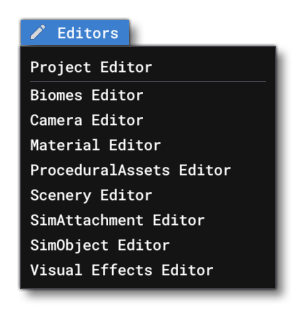 The Editors menu is the menu from which you can open the various available editors. These editors can be used to create and edit add-on content that you are making. The options available here are:
NOTE: Not all these options will be available at all times, as it depends on whether you have a project open and what kind of package you are creating.
-
Project Editor
Opens The Project Editor where you can create a new project or edit an existing one.
-
Biomes Editor
Opens The Biomes Editor where you can create and modify different biome features.
-
Input Device Editor
Opens The Input Device Editor where you can add or edit input device packages.
-
Input Profile Editor
Opens The Input Profile Editor where you can edit input profiles for use with specific devices and / or aircraft.
-
Material Editor
Opens The Material Editor where you can view, create, and modify the different simulation materials.
-
Procedural Assets Editor
COMING SOON!
-
Scenery Editor
Opens The Scenery Editor where you can add scenery, terraform the terrain, or create an airport.
-
SimAttachment Editor
Opens The SimAttachment Editor where you can create, edit, and modify, SimAttachments.
-
SimObject Editor
Opens The SimObject Editor for modifying aircraft parameters.
-
Visual Effects Editor
Opens The Visual Effects Editor for creating and modifying dynamic visual effects, like contrails and smoke.
Related Topics