AIRPORT SERVICES
The AirportServices sample is provided to show how the SPB files used to generate airport services are created. The contents of this sample mirror the way that services are generated in the simulation and as such, building the package will not show any discernible difference within the world when flying. The package is meant to be studied and used as a base for creating your own airport services SPBs, and as such it will do nothing if loaded into the project editor and is then built and mounted.
To check out the source code for the different airport services that it generates, please go to the following location:
[ROOT]\MSFS 2024 SDK\Samples\DevmodeProjects\Sceneries\AirportServices\PackageSources\AirportServices\Shared\
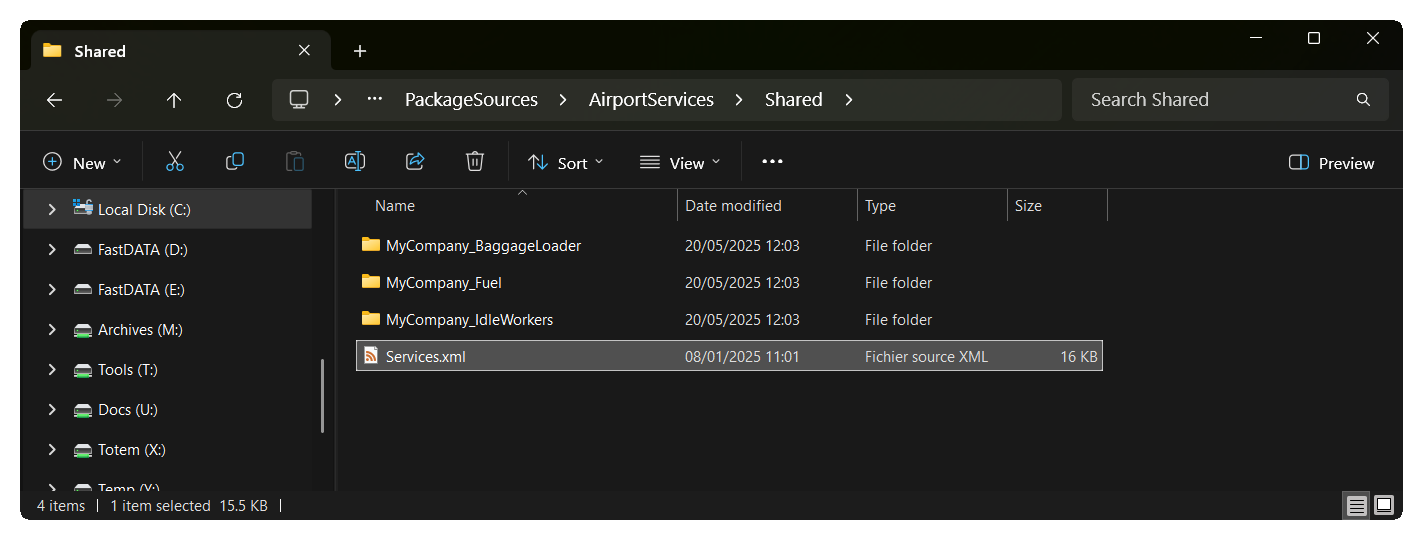
The Services XML file contains the code that is used to define the airport services that will be available at the various parking gates of an airport, as well as some "global" services (like fuel trucks). This file can reference the shared service files that the simulation uses, or it can reference custom XML that defines the behaviour of a service. Such behavior files used in airport services are shown in the other three folders included with the sample, all of which can be studied and copied if required.
You can find an example of a service XML file bing used by checking the AirportKALO sample project. There we use a custom services file to spawn additional workers at a specific parking gate of the airport.
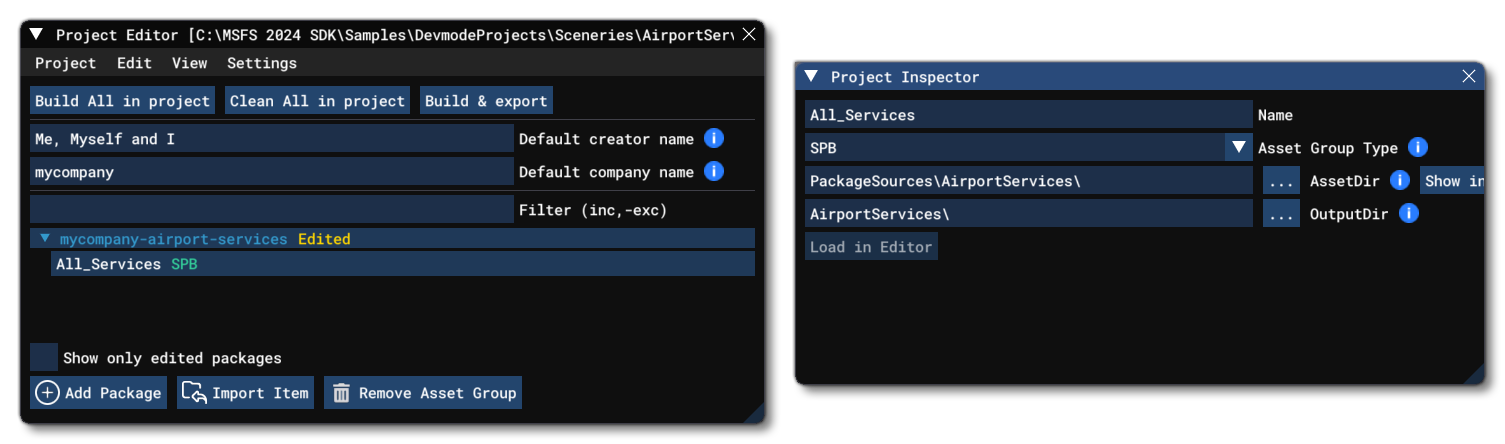
Finally, it should be noted that these kinds of files should be packaged using the SPB asset group type. If you load the project into the simulation and open The Project Inspector, you can see how the source and export paths are setup (both for this project and the KALO airport sample), for example:
Related Topics