LOD EXAMPLE
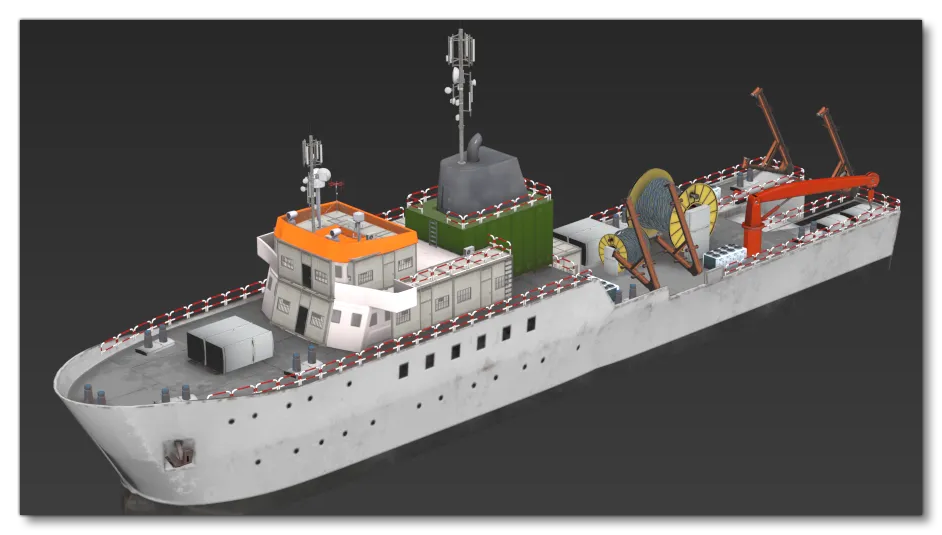
To illustrate the importance of having good LODs as well as how the LOD Selection System works, on this page we'll be looking at an object using a single model with close to 2 million tris (1,767,052 to be precise). The objective here is to illustrate how detrimental such models can be to the simulation performance with no LODs, and how this can be mitigated with good LODs. The model in question is the following:
Here are some of the extreme details that this model has at LOD0:
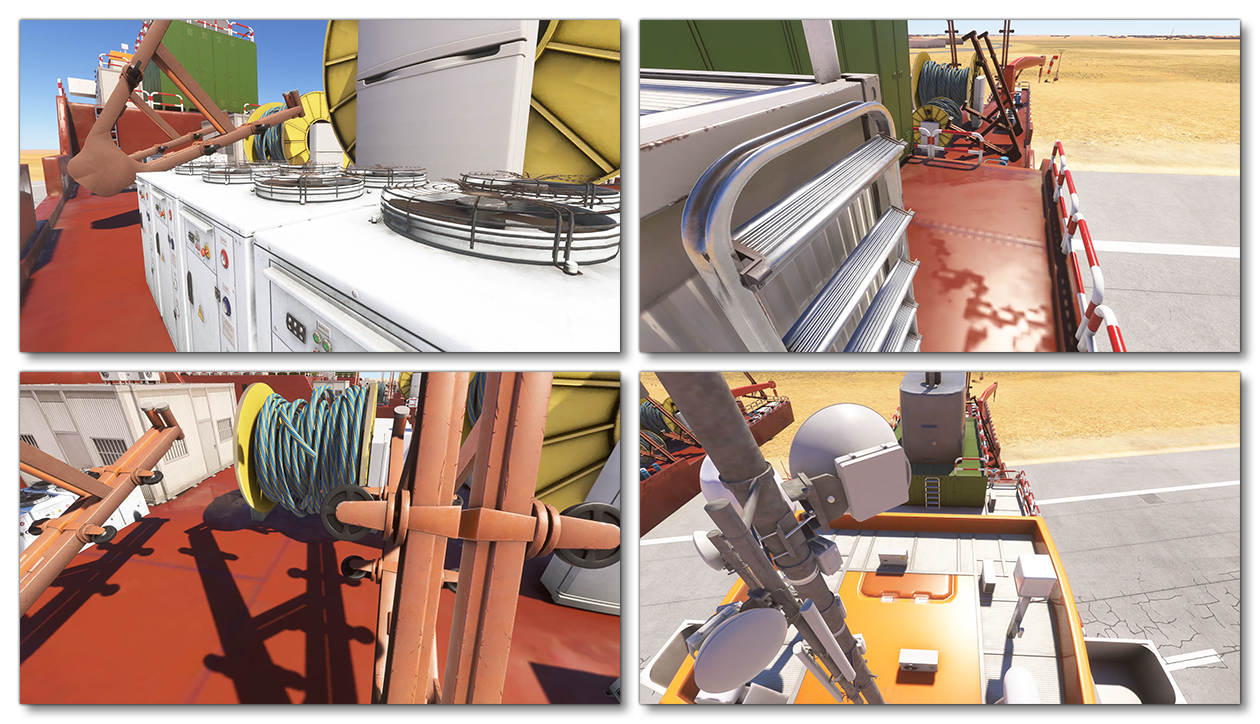
Note that even with these details, the polycount didn't reach the nearly 2 million we wanted for this example, so extreme tesselation was applied to the ships hull to artificially increase the number of tris used in the model:
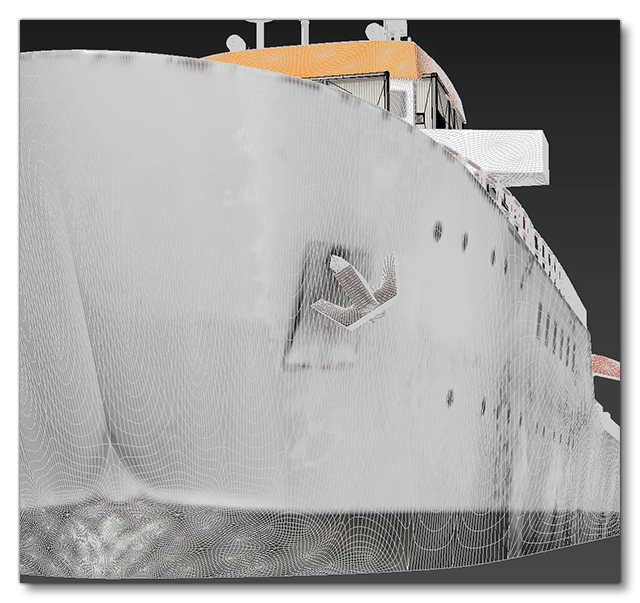
This is obviously ridiculous and not something you'd ever see in a real model boat in the simulation, but - as stated above - the goal here is to have a model with a huge number of tris to illustrate some important features related to LODs and how they are handled by Microsoft Flight Simulator 2024 (it's also not impossible to have a model with this number of tris in it on LOD0, as some airliners or other large aircraft would definitely require this level of detail).
Impact On The Simulation
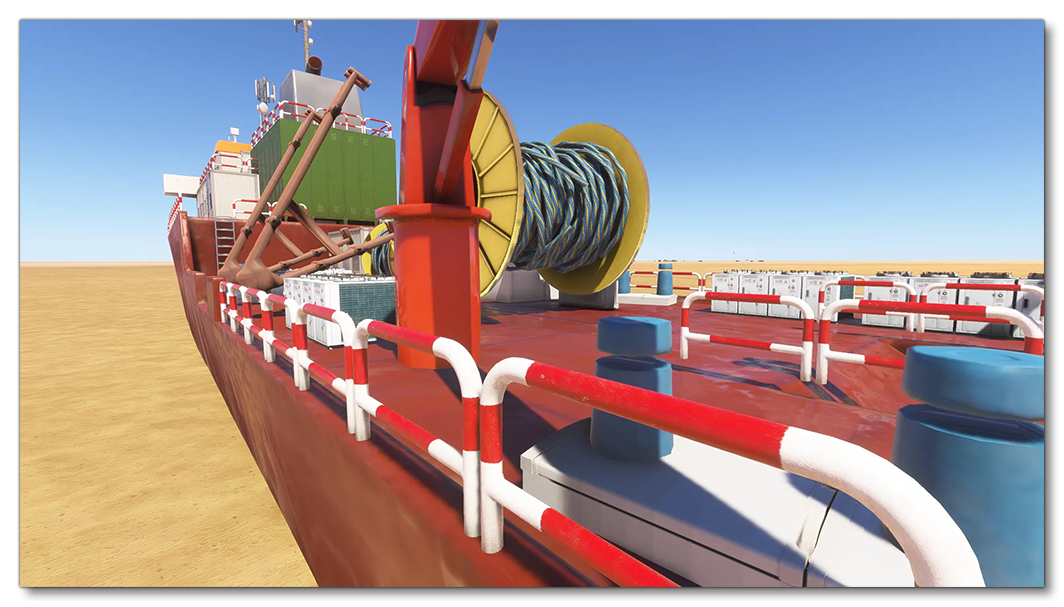
The first problem with a model like this is that, if it has no LODs, the moment you have 2 or 3 of them on the screen at once, the simulation performance will definitely start to suffer. The second problem is that if you do have LODs, then they will switch much too soon. For example, this is the furthest the camera can move from the center of the ship model before it wants to switch from LOD0 to LOD1:
This is one of the fundamental reasons why SimObjects can be modular, and scenery can be built from SimProp Containers: both of these have dynamic LOD switching of individual parts rather than LOD switching single monolithic models. For example, if this ship was modular, then the parts furthest from the camera would be on LOD3, then LOD2, then LOD1, and finally LOD0 as they get closer to the camera. Suddenly this 2 million polygon model is an approximate 700,000 polygon model, regardless of where the camera is, while still looking great.
LODs
The next thing we can show you is how creating good LODs, even for an object this complex, can still permit it to be displayed in the simulation with minimal performance impact. The images below illustrate the different LOD levels and their polygon count, as displayed in the simulation (the Wireframe debug is enabled so you can see how each LOD is simplified):
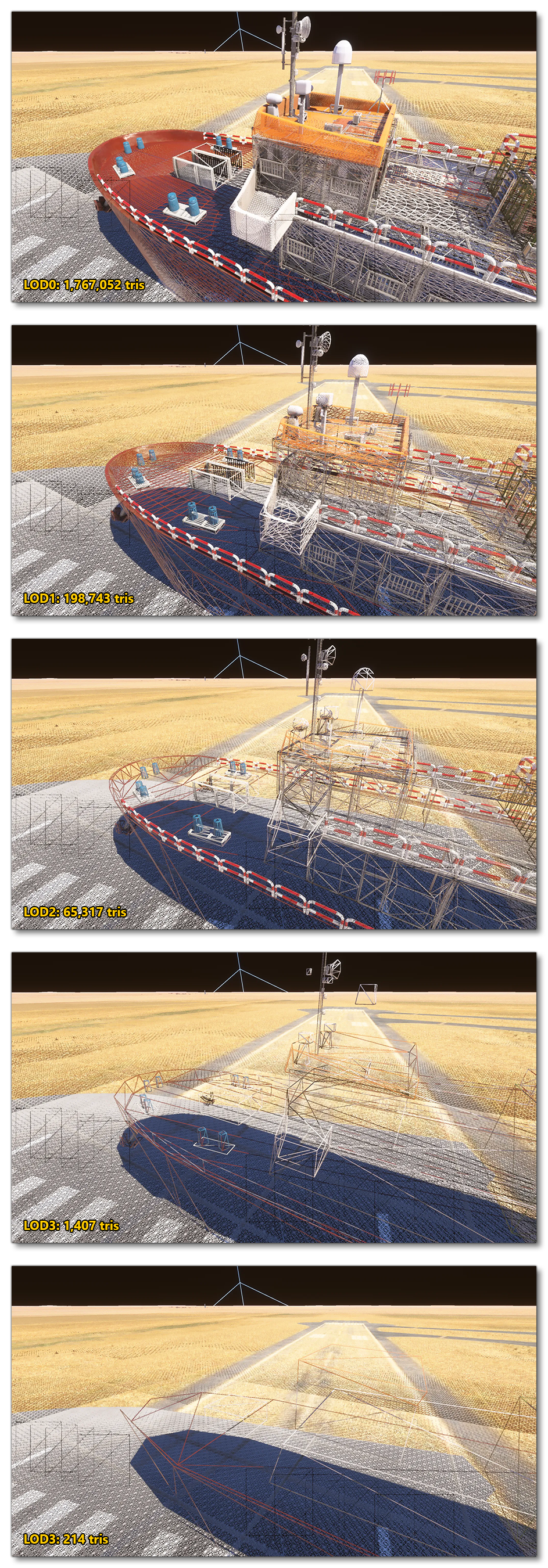
As you can see, just the difference from LOD0 to LOD1 is massive, and each LOD reduces the mesh density by a large amount. But how does this actually look in the simulation? The following two images show the ship model at different distances, where each one is positioned at the distance from the camera where it switched LODs:
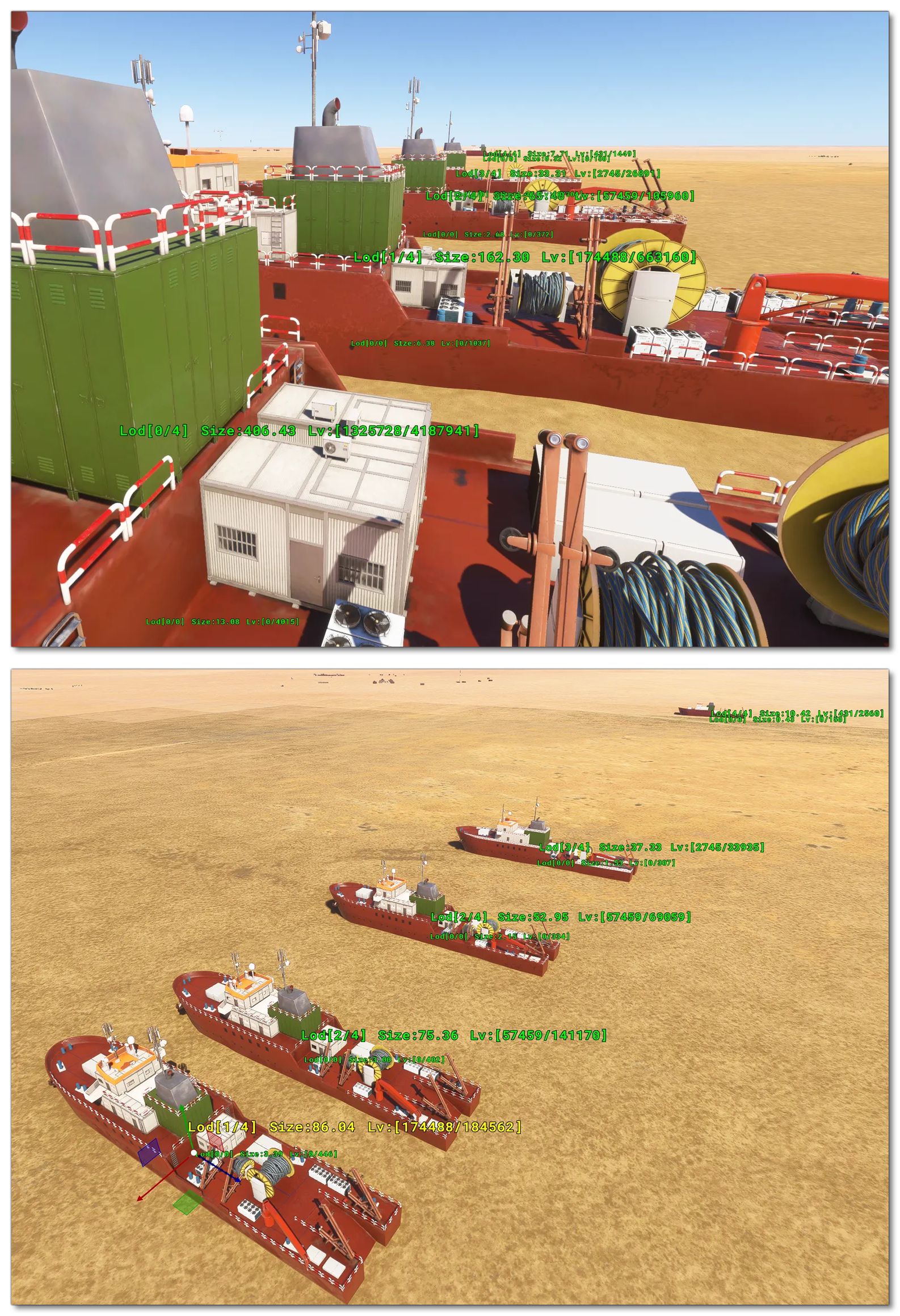
Due to the careful and well crafted LODs for this massive model, the simulation can handle multiple instances of the model in any given scene without issue, and yet visually everything looks great even though the model has been drastically reduced in detail each LOD (especially from LOD0 to LOD1). The lods for this model were created using the LOD Technical Information, which boils down to:
- Geometry is kept only if it is necessary for the shape at the distance range the LOD is displayed
- All geometry removes any vertices that cannot be seen, or serves no visual purpose.
The take away from this example is that you can have highly detailed base models, and the simulation will handle them, as long as the LODs are well crafted. In addition, you can pack in more detail and have further optimisations if you also use the modular SimObject system or SimProp Containers, since these have dynamic LODs for each object meaning detail is only shown where the camera is closest and has most focus.
Related Topics