WIPER MASK GENERATOR TOOL
The Wiper Mask Generator is a tool that is included with the SDK to generate a complex Wiper Mask (RGBA) texture for use in the windshield material to simulate the effect of a wiper clearing moisture from the glass. This plugin is available for both Blender and 3DS Max but the the workflow for using the tool is almost identical in both (any differences will be highlighted where needed). For more information on using the texture this tool creates, please see here:
To use this tool to generate the required wiper mask texture you will need to first set up the animations of the wipers themselves. As such, you should first ensure that you have set up the wiper models and animated them over 10 frames where frame 1 is the resting state, and frame 10 is the fully rotated "top" state. It should look something like this:
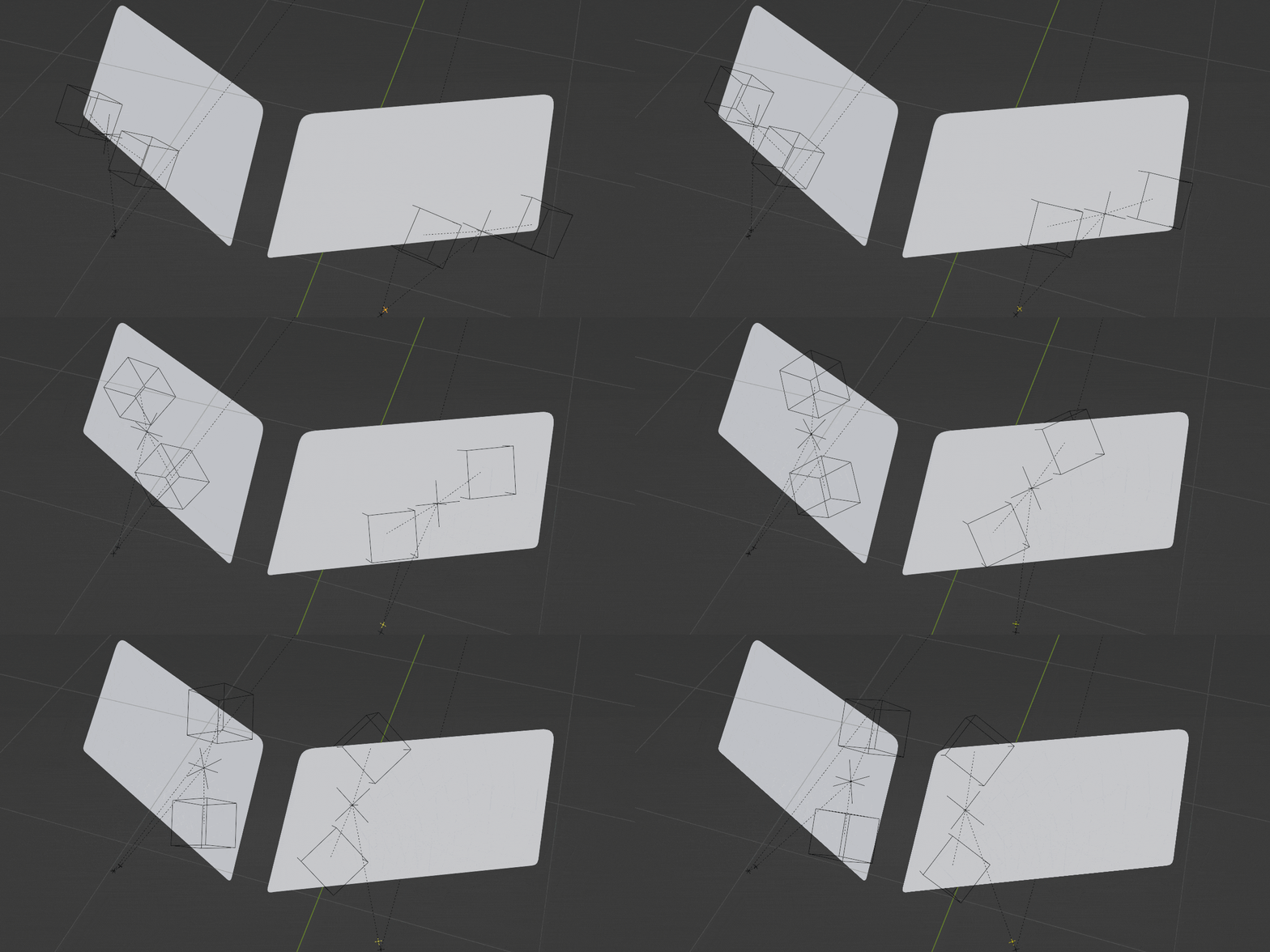
There is no need to include the reverse animation - placing the wipers back down to the bottom of the window - as this will be generated from the existing animation data by the simulation.
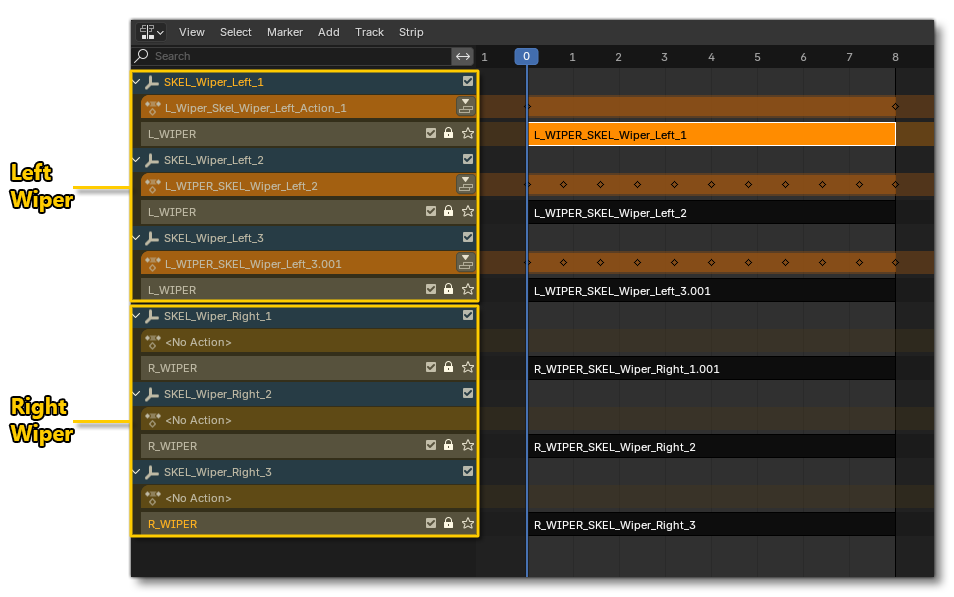
Note that in your animation software you will need to ensure that these animations are exported correctly, as shown below:
In Blender you need to ensure you have pushed the actions of the animated empties down into the NonLinear Animation Panel, and that the tracks have been named the same for the grouped animations.
In 3DS Max you will need to create a corresponding Animation Group that contains all the wiper animations:
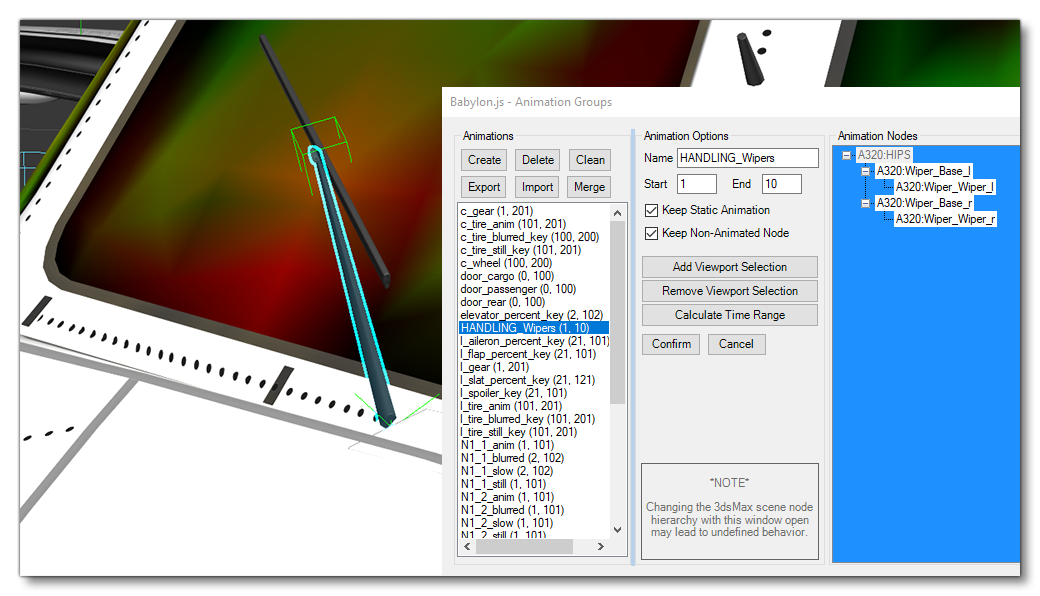 IMPORTANT! You must ensure that the Keep Animation Static option is checked, otherwise the material animation is not going to work in the simulation.
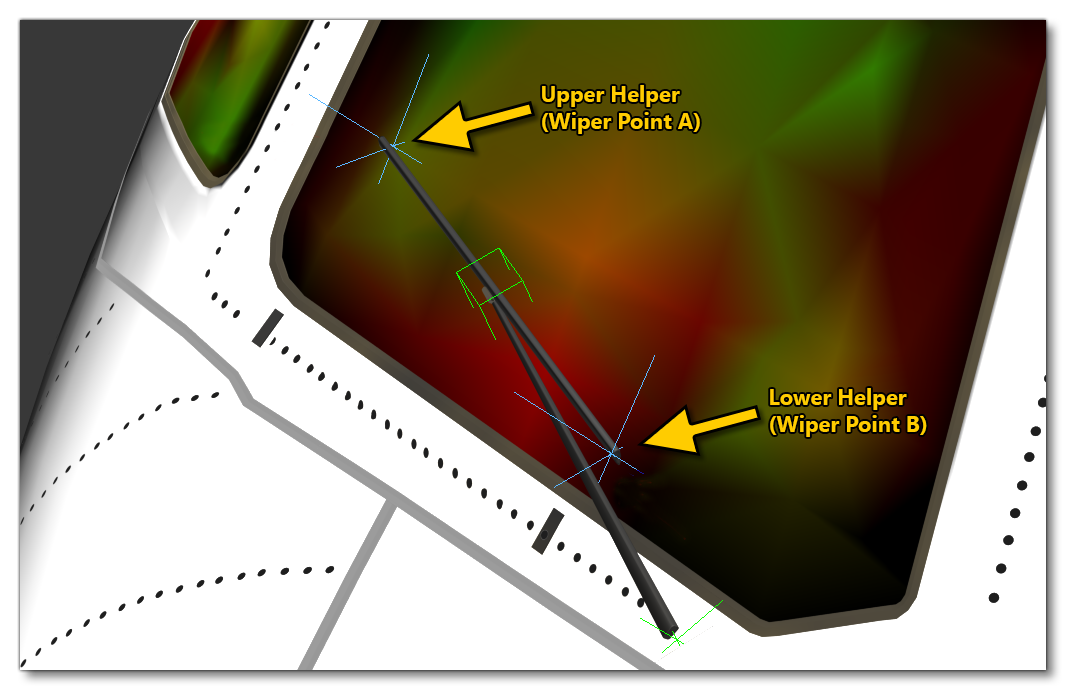
Having done the animation, you will then need to place two helpers as children of the animated wiper nodes. The area defined between the two helpers will later be projected onto a texture, so make sure to place the helpers correctly in the upper and lower points of the wiper:
You can now open the Wiper Mask Generator and fill in the data as requested.
The Wiper Mask tool is available from the Microsoft Flight Simulator 2024 Tools tab in Blender:
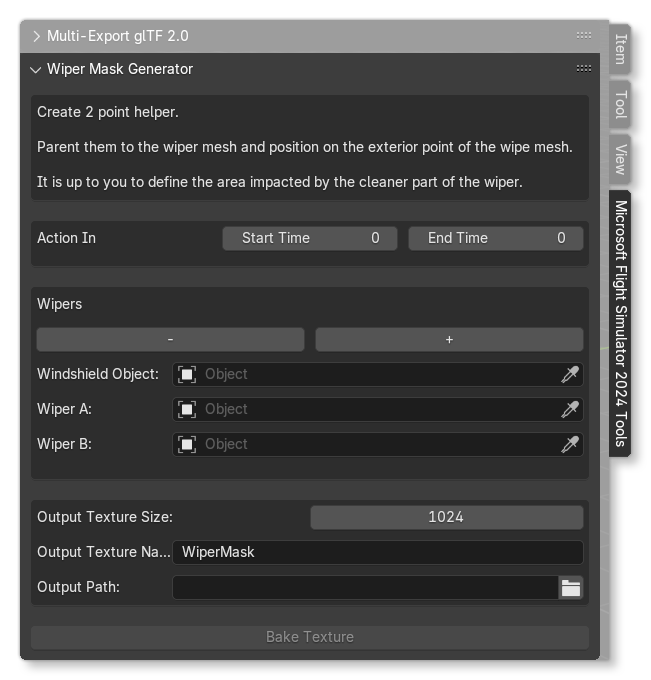
- Action In - This defines the animation, from the idle position to the fully "open" position. For this you give the Start Time and the End Time of the animation (in frames), and the total animation length should be about 10 frames. The "out" animation will be generated by the simulation from this data automatically.
- Wipers - The options here let you define a single wiper to be used to generate the mask. You can click the
+or-buttons to add/remove wipers as needed. Note that for the different options listed below you can use the "dropper" tool to select an object directly from the scene.- Windshield Object - This is the name of the windshield mesh object.
- Wiper A - This is the upper helper object of the wiper blade.
- Wiper B - This is the lower helper object of the wiper blade.
- Output Texture Size - Here you can set the size for the output texture. The default size is 1024, but if you find the texel density to be too low, you can upscale it to 2048.
- Output Texture Name - This is the name of the output texture file.
- Output Path - This is the path location where you wish the final baked texture to be output.
- BakeTexture - Clicking this will create the texture required for use in the Wiper Mask (RGBA) slot of the Windshield material.
The Wiper Mask Tool in 3DS Max is accessed from the MSFS 2024 menu at the top of the IDE, and when opened looks like this:
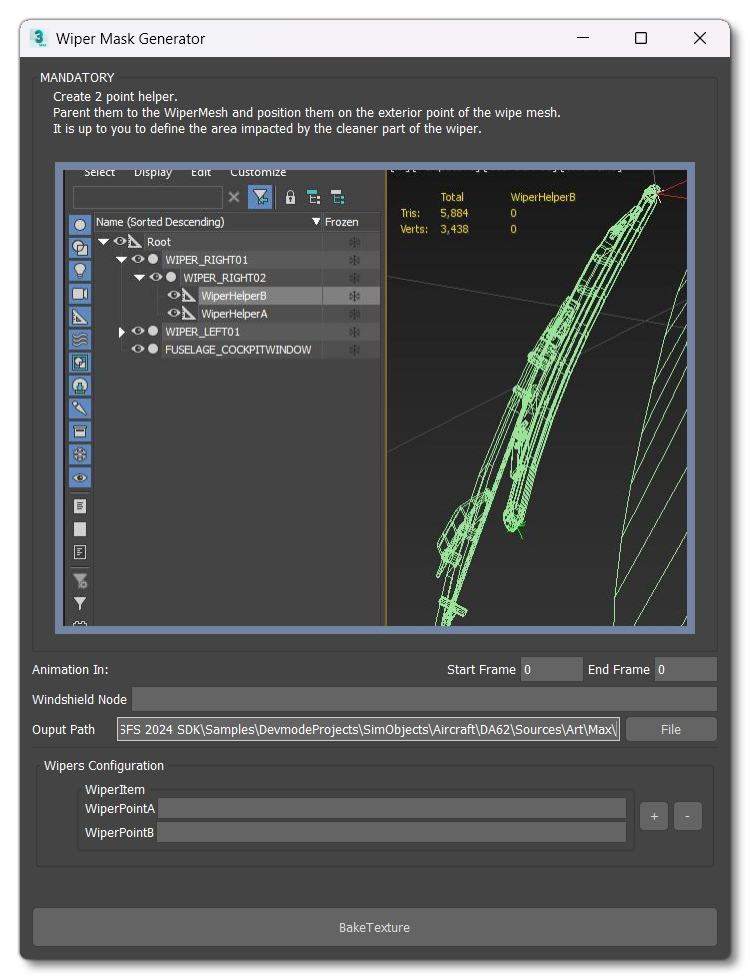
- Animation In - This defines the animation, from the idle position to the fully "open" position. For this you give the Start Frame and the End Frame of the animation, and the total animation length should be about 10 frames. The "out" animation will be generated by the simulation from this data automatically.
- Windshield Node - This is the node name of the of the windshield mesh.
- Wiper Configuration - For each wiper assigned to the windshield - you can assign it's associated helpers here, where Wiper Point A is the upper helper, and Wiper Point B is the lower helper. You can click the
+or-buttons to add/remove helpers.
-
Output Path - This is the path location where you wish the final baked texture to be output.
NOTE: You should ensure that your render options are setup correctly, in particular the PNG output which must have alpha enabled (see here for details: 3DS Max Renderer).
- BakeTexture - Clicking this will create the texture required for use in the Wiper Mask (RGBA) slot of the Windshield material.
Related Topics