DA62 MOD
The DA62 Mod airplane sample can be downloaded from the Help menu in DevMode. This sample contains only a few files that are used to modify an existing modular aircraft (in this case the DA62). The purpose of this project is to show how you can mod (or "patch") existing modular aircraft with additional files.
Loading And Building The Project
In order to load and build the project in Microsoft Flight Simulator 2024, you must have previously enabled Developer Mode (see here for more information). Once enabled, simply follow these steps:
- Use the Open project... command from the File menu.

- Select the file
DA62_Mod_Project.xmlfrom theDA62_Modsample project.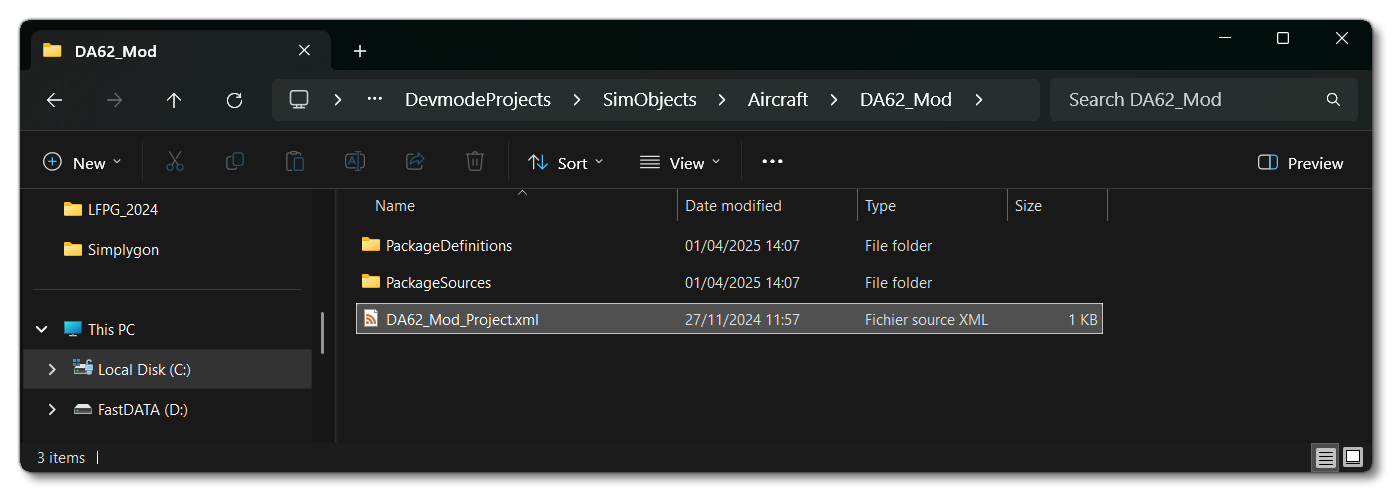
- The Project Editor should open automatically and show you the project
mycompany-aircraft-da62-mod(if the Project Editor doesn't open, then you can open it from the Developer Mode Tools menu)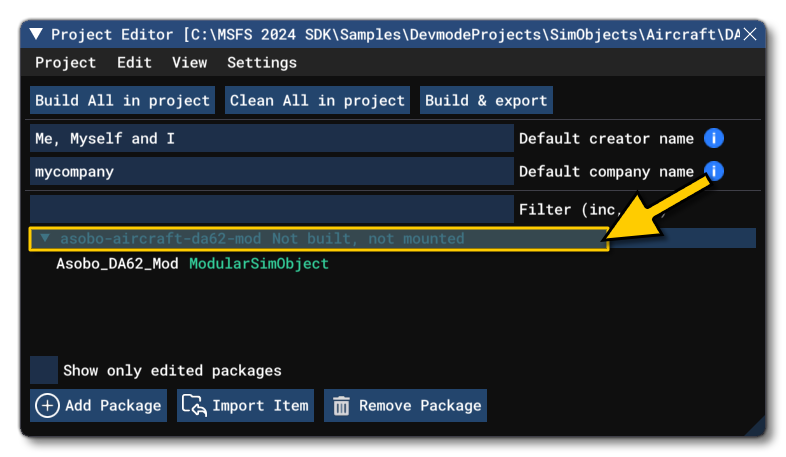
- Once the project is loaded, you can right-click on it, and select the Build and Mount option. This should be done while on the main Menu of the simulation:

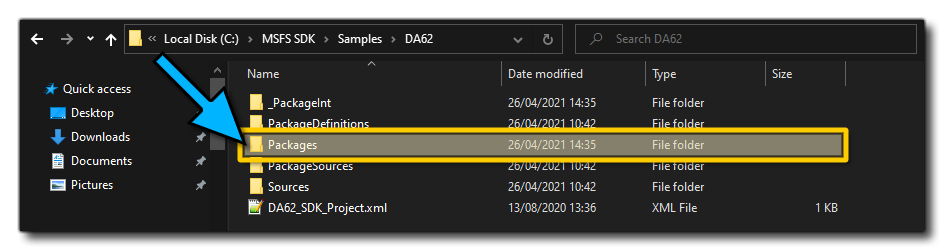
- This will build a package from the files specified in your project. This package will be named
da62-sdk-aircraftand will be output in the Packages folder created in the same directory asDA62-SDK-Project.xml:
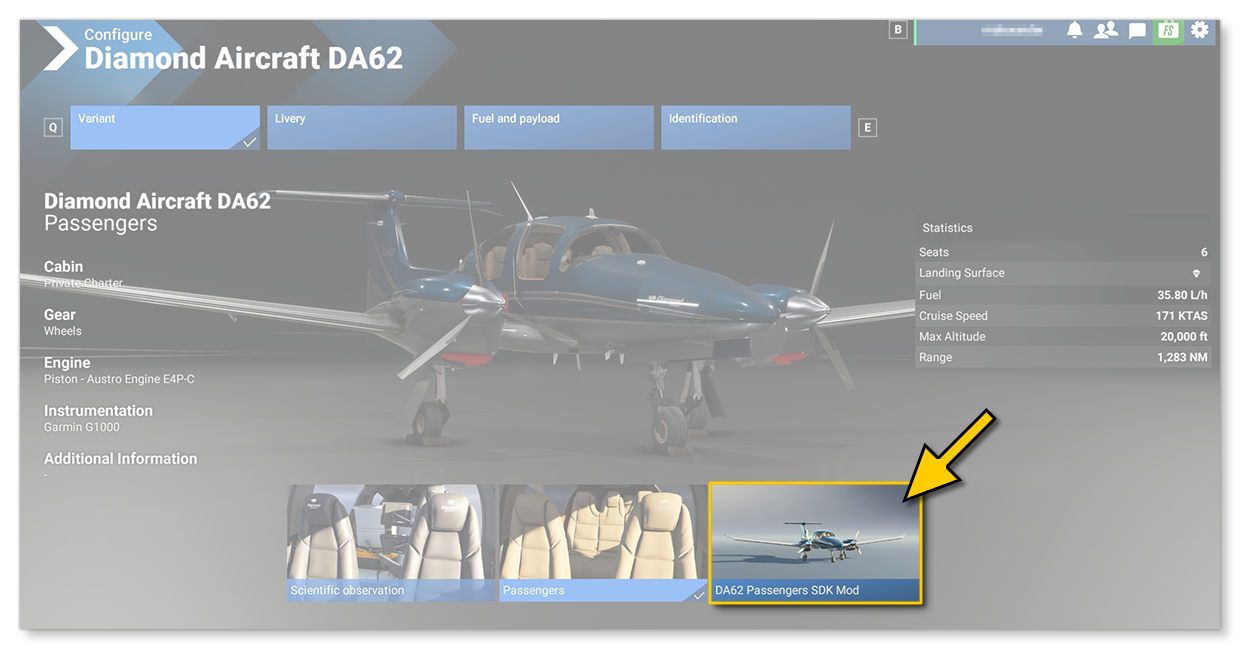
- Building the package will also install it into Microsoft Flight Simulator 2024 and so you should now proceed to the aircraft selection screen, search for the DA62 aircraft (the official version, not the SDK version), and select the option to Configure the aircraft. In the configuration options you will now see a new Da62 Passengers SDK Mod variation:
0/255